
Why websites ask “Are you human?”
A friendly look at those little website checks—with pictures and a pretend form you can try. No coding needed.
On this page
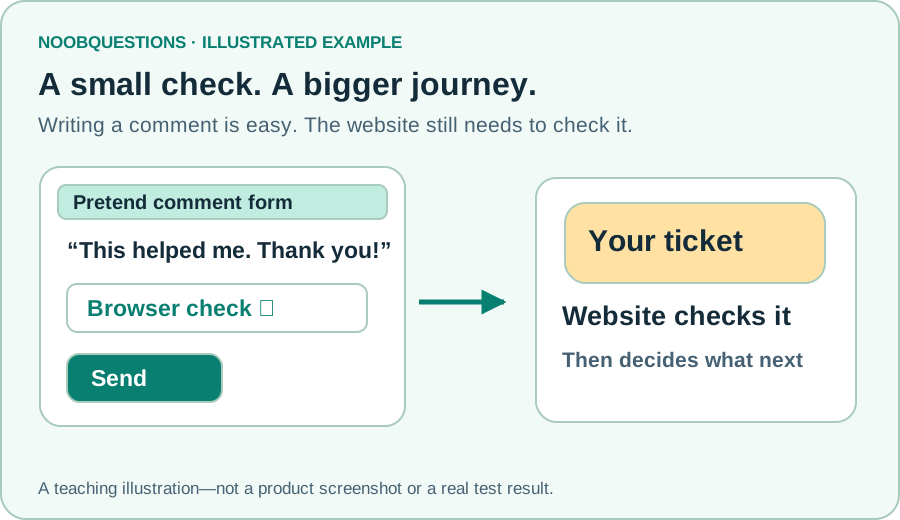
In a few minutes: You will learn why a check appears, why a green tick is not the whole story, and what to try when a form gets stuck.
1. Why does a website ask this?
You write a thoughtful comment, press Send, and see a little check asking you to wait. Why the extra step?
Websites also receive messages from automated programs, often called bots. Some bots are useful. Others send piles of unwanted ads or try to abuse a form. A check helps the website decide which submissions can continue.
Think of a concert entrance: a ticket check helps control entry. It does not tell the staff whether every person inside will behave well.
The short answer: the website is checking a submission, not asking you to prove your identity with a password.
2. A green tick is only part of the journey
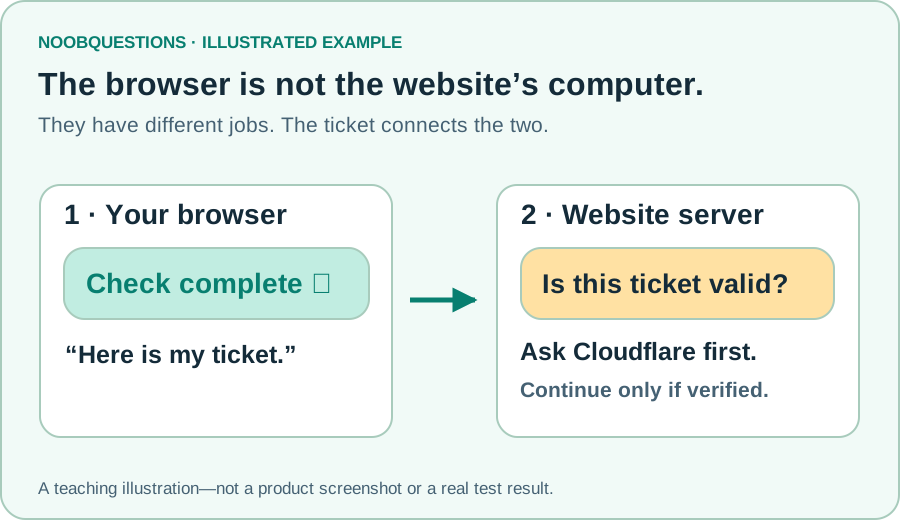
The little box lives in your browser—the app you use to visit websites. The website's computer is called its server. After the browser check, it sends a short-lived ticket to that server.
The server asks Cloudflare whether the ticket is valid. Only then should the submission move on. A green tick in the browser does not mean your comment has already been saved.
For Turnstile, a ticket lasts five minutes and can be checked only once. That is why an old browser tab or a repeated attempt may need a fresh check. Cloudflare explains the real checking process here.
3. Try being the website's gatekeeper
What would you do with a ticket that has expired? Choose a situation below. Then try a fresh ticket twice to see why a repeated attempt is different.
Try it · no coding needed
You are the website's gatekeeper
Choose a pretend visitor's ticket, then see whether their comment can move to the next check.
Choose a ticket and try it. Nothing is submitted.
Learning simulation, not a real CAPTCHA. No ticket or comment is sent anywhere. Real verification and spam checks are separate.
4. What should a helpful form tell you?
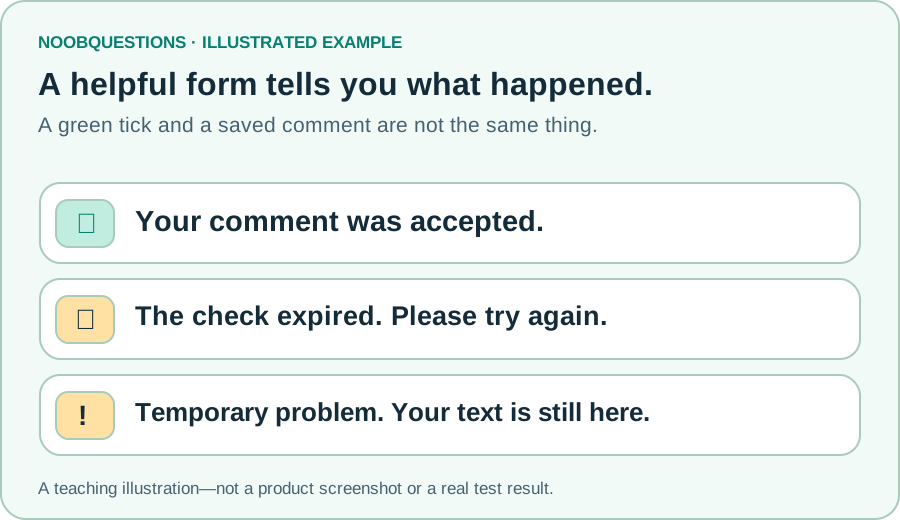
A good form should tell you what happened and what you can do next:
- It worked: confirm only when the website has actually accepted the submission.
- The check expired: offer a new check without making you retype everything.
- The service cannot answer: explain the temporary problem and offer a retry.
If you are reading a site and get stuck, copy your text before refreshing. Follow the site's retry message. Never share passwords or secret keys to get a form working.
If you own a site, remember that spam filtering is another step. Passing a check does not make every message useful or safe.
A quick check
A green tick appears. Has your comment definitely been published?
Pick an answer. You can try again.
Optional: what a developer needs to know
Show the technical details and example code
You can skip this section and still understand the main idea. Developers call the ticket a token and the checking endpoint Siteverify.
The example below checks a token before allowing an action. It is a helper, not a complete form. A real endpoint also needs input limits, spam checks, safe output, and protection against duplicate actions. Keep the secret on the server.
The helper passed 16 local mocked-response tests. That does not certify a production deployment. The learning playground above does not call this helper or Cloudflare.
// Educational validator. Call before storing a submission or performing its action.
// Expected hostname/action must be server-controlled, never copied from a request.
export async function verifyTurnstile(token, secret, expected, fetcher = fetch) {
  if (typeof token !== 'string' || !token || token.length > 2048) {
    return {ok: false, reason: 'verification_required'};
  }
  if (!secret || !expected?.hostname || !expected?.action) {
    return {ok: false, reason: 'verification_unavailable'};
  }
  try {
    const response = await fetcher('https://challenges.cloudflare.com/turnstile/v0/siteverify', {
      method: 'POST',
      headers: {'content-type': 'application/json'},
      body: JSON.stringify({secret, response: token}),
      signal: AbortSignal.timeout(5000)
    });
    if (!response.ok || !response.body) return {ok: false, reason: 'verification_unavailable'};
    const reader = response.body.getReader();
    const decoder = new TextDecoder();
    let body = '', size = 0;
    try {
      for (;;) {
        const part = await reader.read();
        if (part.done) break;
        size += part.value.length;
        if (size > 16384) return {ok: false, reason: 'verification_unavailable'};
        body += decoder.decode(part.value, {stream: true});
      }
    } finally { await reader.cancel(); }
    const result = JSON.parse(body + decoder.decode());
    if (result.success !== true || result.hostname !== expected.hostname || result.action !== expected.action) {
      return {ok: false, reason: 'verification_failed'};
    }
    return {ok: true};
  } catch {
    return {ok: false, reason: 'verification_unavailable'};
  }
}
Remember this
The box checks first; the website decides next. A clear confirmation message is what tells you whether your submission really worked.
Curious about real setup? Start with Cloudflare's validation documentation and its testing guide. The pictures here are original teaching illustrations, not product screenshots.
Want to take this further?
These optional downloads are for readers ready to test in their own authorized environment.
About this resource · sources, dates & scope
Attribution: noobquestions Editorial. Original publication: . Recorded revision: .
An original AI-assisted teaching lesson. Illustrations and models simplify the concept; they are not screenshots or proof of a deployed system.
AI-assisted · Illustrated explainer with a local learning demo—not a real CAPTCHA.
Community discussion
Comments
Ask a question or share a practical note. Comments publish immediately after verification and spam checks. Do not post personal or confidential information.
Loading comments…