
What is Group Policy? A tiny office explains it
How do office computers all get the same rules? Meet three pretend laptops and try changing one simple setting.
On this page
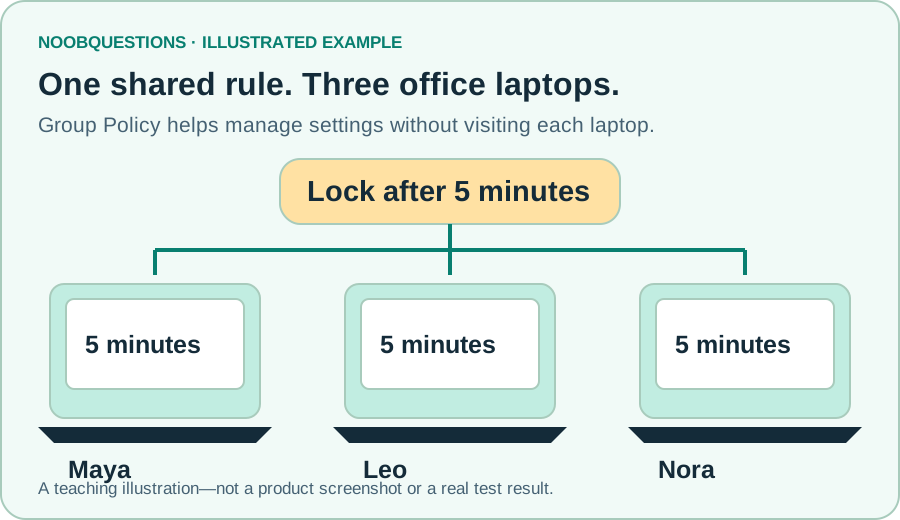
In a few minutes: You will learn what a shared computer rule is, what the unfamiliar names mean, and why a small test group comes first.
1. Imagine looking after three laptops
Maya, Leo and Nora work in a small office. You want each laptop's screen to lock when it has been left alone. You could visit every laptop and change its settings by hand.
That is manageable with three laptops. With hundreds, it becomes slow and easy to get wrong. Group Policy is a Windows feature administrators use to manage rules centrally for users and computers.
In our pretend office, the rule is simple: lock the screen after five minutes. This is a teaching example, not advice that five minutes is right for every organization.
The short answer: Group Policy helps an administrator manage a shared set of rules instead of repeating the same work on every computer.
2. The names sound scarier than the idea
You will hear a few names when people discuss Group Policy. Here is a plain-English starting point:
- Active Directory (AD)
- The directory that keeps track of an organization's users and computers.
- GPO
- A Group Policy Object: a named collection of settings.
- OU
- An Organizational Unit: a container in AD that helps organize objects and target policies.
- Pilot
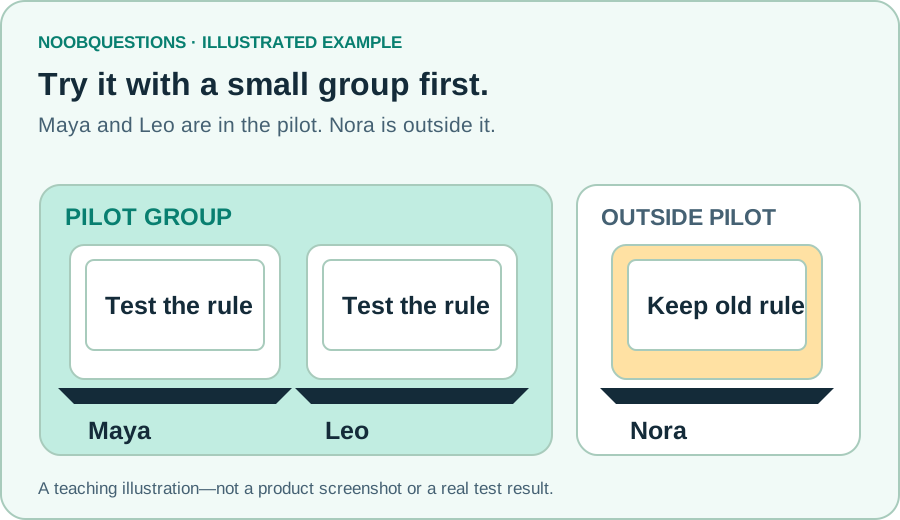
- A small test group before a wider change. It is an approach, not a special Windows object.
A folder analogy helps, but an OU is not a folder of files. Real policy behavior also depends on where it is linked, which objects it affects, and other rules already in place. Microsoft's overview explains those details.
3. Try the rule in a pretend office
Start with Maya and Leo. Leave Nora outside the pilot so you can see whether the change stayed small. Preview the result, then try applying it to everyone.
Try it · a pretend office
Change one rule. Who gets it?
All three laptops start with a 10-minute screen-lock rule. Your new rule is 5 minutes. Choose where to try it.
- Maya's laptopPilot groupLocks after 10 min
- Leo's laptopPilot groupLocks after 10 min
- Nora's laptopOutside the pilotLocks after 10 min
Nothing has changed yet. Start with the small pilot.
Illustrative model, not Windows or a real network. Turning a policy off does not always undo a real setting; an administrator must check recovery.
4. Check what changed—not just what you clicked
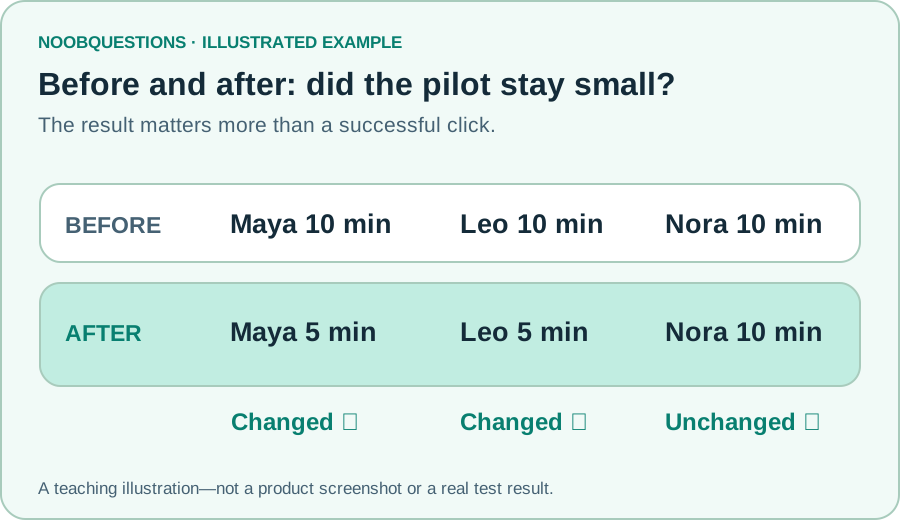
Imagine changing a setting and walking away. You would not know whether it worked—or whether it affected someone you meant to leave alone.
A useful small test asks three questions:
- Before: what did these laptops do originally?
- After: did the chosen laptops do what we wanted?
- Outside the pilot: did Nora's laptop stay unchanged?
You would also ask Maya and Leo whether their usual work still runs normally. A setting can change correctly and still cause an unwanted inconvenience.
A quick check
You want to try a new rule safely. Where should you start?
Pick an answer. You can try again.
5. Keep an undo plan
A pilot is a test, not a promise that everything will work. Before a real change, an administrator should know how to restore the previous behavior.
In the playground, Reset instantly puts our pretend laptops back to ten minutes. Real Windows is not that simple. Removing a policy does not always restore a setting it changed. Recovery has to be checked.
If you are just learning, stay with the playground. Do not experiment with your employer's computers, user accounts, or policies without permission.
Optional: the administrator's next step
Show the real-world checklist
For an authorized lab or approved pilot: record the current setting, targets, links and filters; protect a backup; apply one small change; inspect the result and an excluded object; test recovery before expanding. A new OU may inherit existing rules.
The user/computer distinction matters. A user setting must be scoped to the intended user objects; putting computers in an OU is not automatically enough. This guide does not walk through a production configuration.
The downloadable worksheet helps record observations. For actual administration, use Microsoft's backup reference and policy-result reference. No Active Directory lab was executed for this article.
Remember this
Shared rules save repeated work. Small tests limit surprises. That is the useful idea behind Group Policy and a pilot.
Continue with our Active Directory and Group Policy explainer, or read Microsoft's Group Policy overview. The pictures and playground are simplified teaching models, not screenshots or instructions for a real domain.
Want to take this further?
These optional downloads are for readers ready to test in their own authorized environment.
About this resource · sources, dates & scope
Attribution: noobquestions Editorial. Original publication: . Recorded revision: .
An original AI-assisted teaching lesson. Illustrations and models simplify the concept; they are not screenshots or proof of a deployed system.
AI-assisted · Illustrated learning model—not a Windows walkthrough or a tested AD lab.
Community discussion
Comments
Ask a question or share a practical note. Comments publish immediately after verification and spam checks. Do not post personal or confidential information.
Loading comments…