
Understanding Active Directory (AD) and Group Policy
Active Directory (AD) provides centralized authentication and authorization of users and computers on a network.
On this page
Active Directory (AD) provides centralized authentication and authorization of users and computers on a network. It manages user credentials and permissions. Administrators can apply group policies to manage the settings of multiple clients, such as account lockout and password complexity. Using a TryHackMe Room as a demonstration, we go through the configuration of Active Directory services and Group Policy Objects (GPO) for a domain.
TryHackMe Room: Active Directory Basics
https://tryhackme.com/room/winadbasics
- Part 1: AD Service Components
- Part 2: Role-based Access Control (RBAC) and AD Security Group
- Part 3: Manage Users in AD: Delegation
- Part 4: Manage Computers in AD
- Part 5: Windows Group Policy
- Part 6: Create and Apply Group Policies
- Part 7: Authentication Methods
- Part 8: Trees, Forests and Trusts
Part 1: AD Service Components
Domain Controller (DC) Servers manage clients within a domain. They provide two primary services in service management, including centralized identity and security profiles. In security hardening, user workstations joined to an AD domain can be restricted from performing specific tasks, such as creating a shared folder. On the other hand, AD also allows guests to authenticate identities easily and receive authorization to perform tasks, such as accessing a network folder.
In a Windows domain, credentials stored in a centralized repository are called:
Active Directory
The server in charge of running the AD services is called:
Domain Controller
Objects within Active Directory
Objects represent various entities within AD, consisting of #1) Users, #2) Machines, #3) Security Groups and #4) Organizational Units. Some objects, such as machines, are created automatically when a PC is joined to the AD domain. Objects can also be created manually: an AD administrator often creates user accounts manually. AD objects have different properties, such as Account Lockout, Password Policy and Logon Hours, depending on the object type. The following table provides examples of objects commonly found in AD.
| Object type | Example | Purpose |
|---|---|---|
| User | UserA | Represents a person or service identity that can authenticate and receive permissions. |
| Computer | ADBASICS | Represents a workstation or server joined to the domain and managed by policy. |
| Security group | Domain Controllers | Groups users or computers so permissions can be assigned consistently. |
| Organizational unit (OU) | Sales | Organizes objects and provides a scope for delegation and Group Policy. |
Microsoft Learn: A Group Policy can assign rights to a security group.
Ref [1]: https://learn.microsoft.com/en-us/windows-server/identity/ad-ds/manage/understand-security-groups

An example of a Security Group called Domain Controllers:
Example #1) Users — People
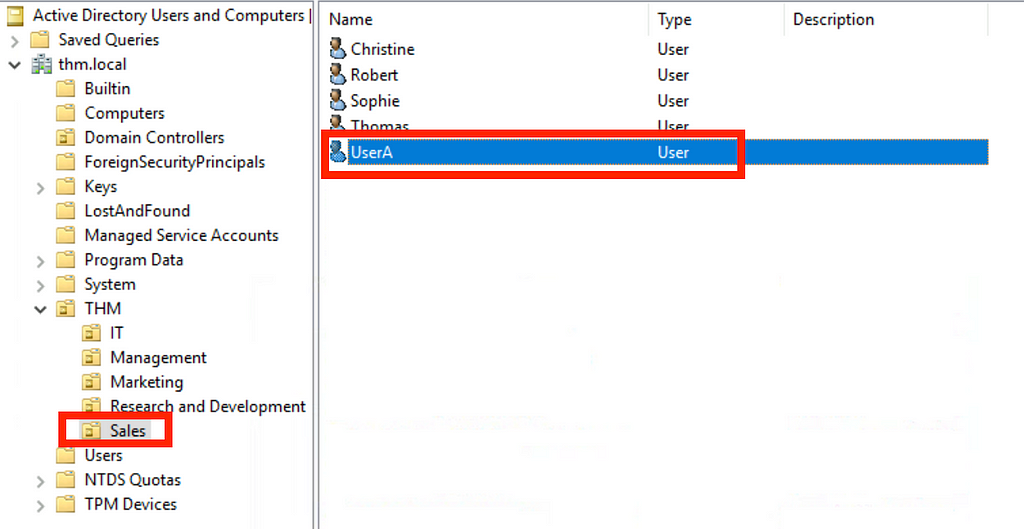
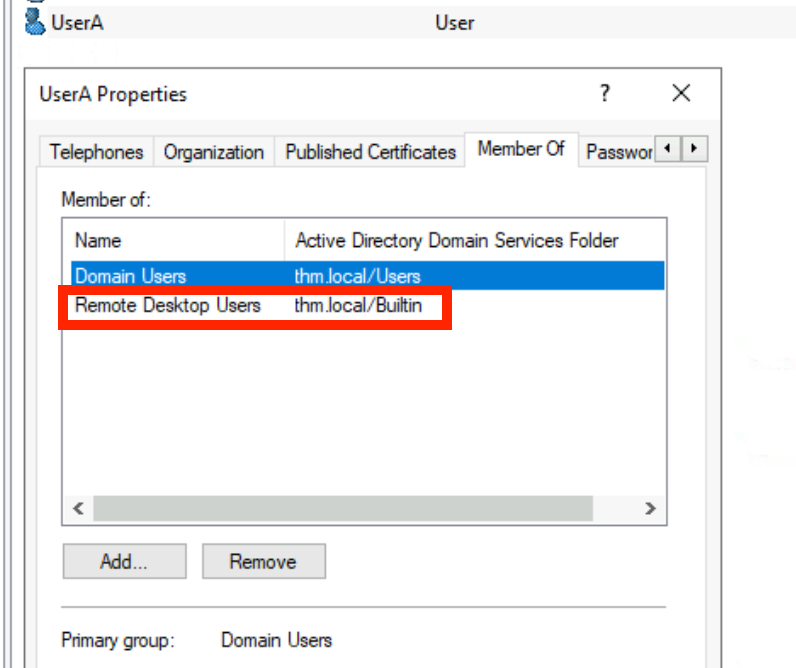
A user account can be added to a Security Group. For example, a user account, “UserA” is a member of the “Remote Desktop Users” Security Group. If the security group is assigned permission to initiate a remote desktop (RDP) session, users can perform remote login with “UserA” user account.
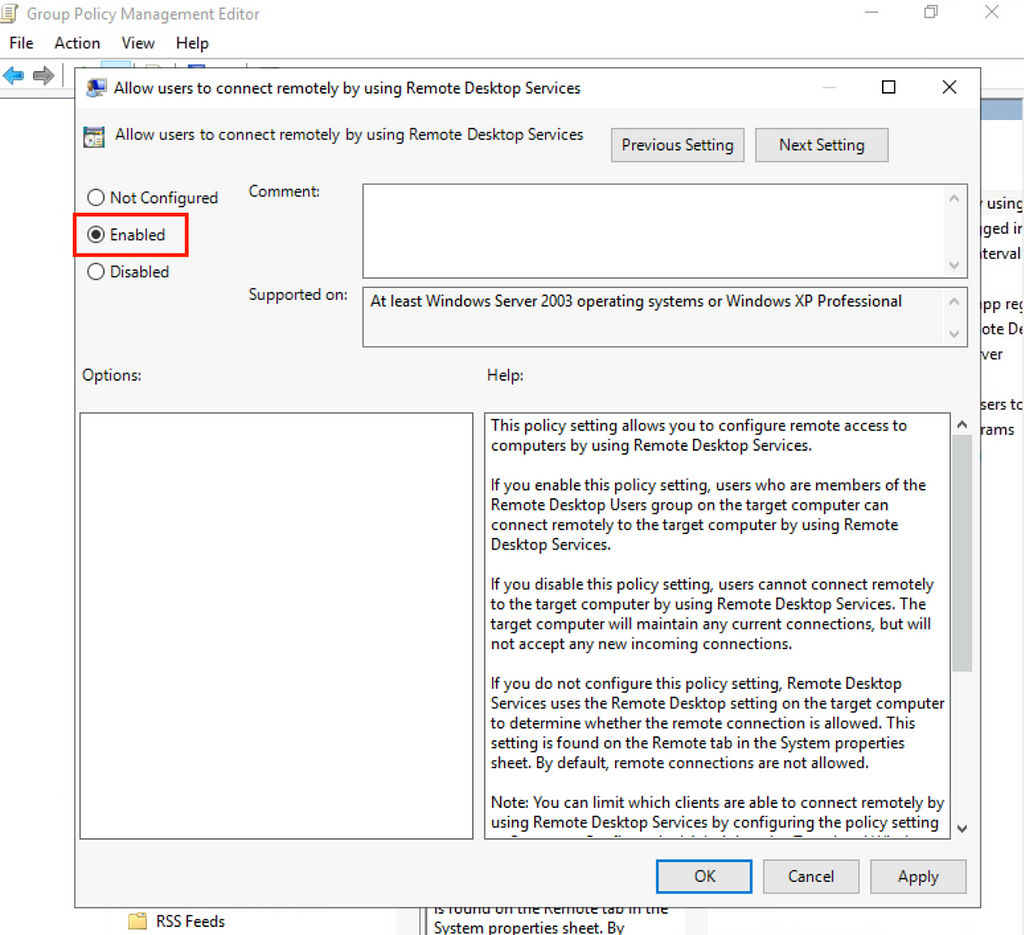
Assigning a user to become a security group member does not necessarily guarantee that the user can perform the desired action. Correct permissions should also be granted to a security group to allow its members to perform related duties. For example, the Local or Group Security Policy shall be configured before members of a security group can log on through Remote Desktop (RDP) Services.
Example #2) Users — Services
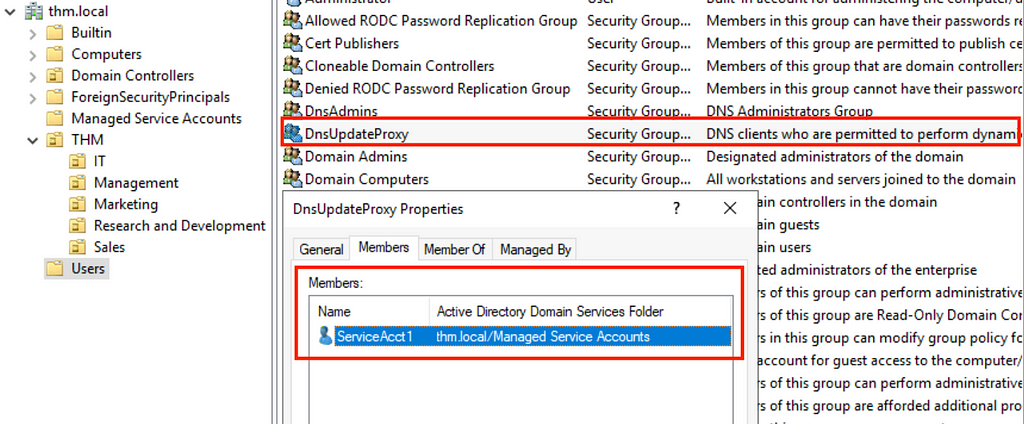
An account can be added to a Security Group, thus making it become a service account. For example, a service account “ServiceAcct1” is a member of the “DnsUpdateProxy” Security Group.
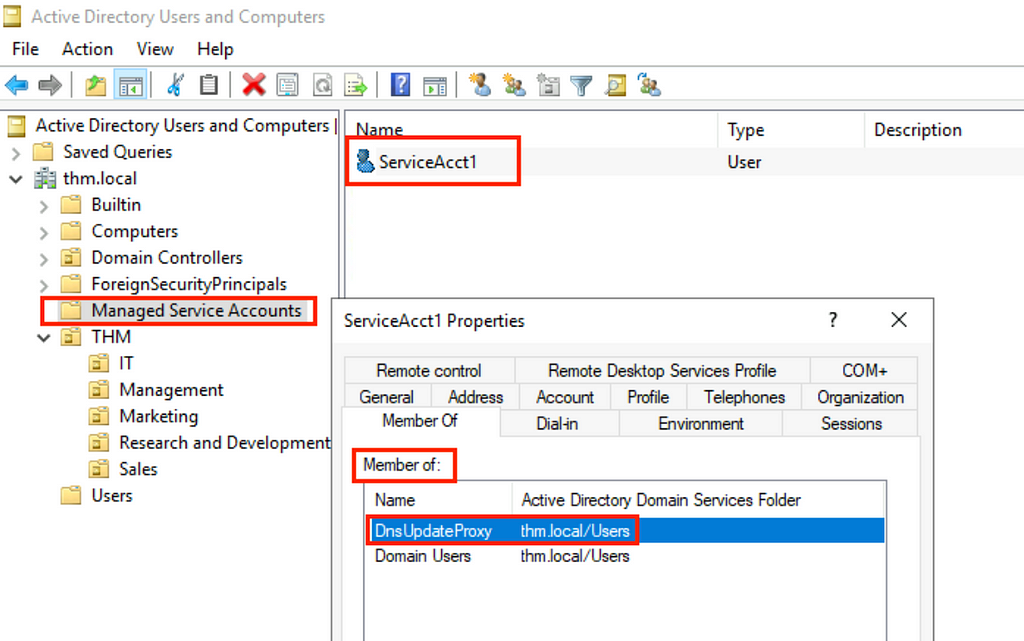
The Security Group — DnsUpdateProxy now contains the user “ServiceAcct1”.
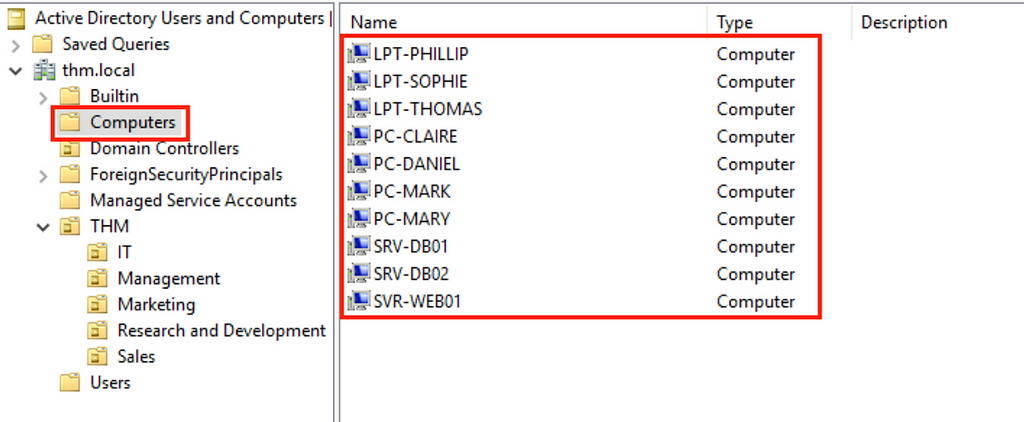
Example #3) Machine — Computers / PC / Servers
Machines in AD refer to domain controllers or workstations joined to the AD domain. In this case, all Laptops (LPT), PCs and Servers (SRV) are computer objects under the domain “thm.local”.
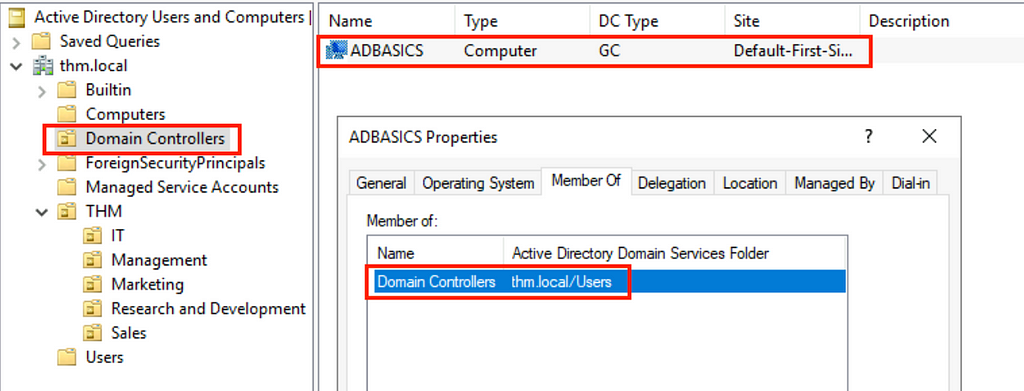
Under the Domain Controllers organizational unit, “ADBASICS” is a computer object. It is a Domain Controllers Security Group member under the domain “thm.local”.
Example #4) Security Groups
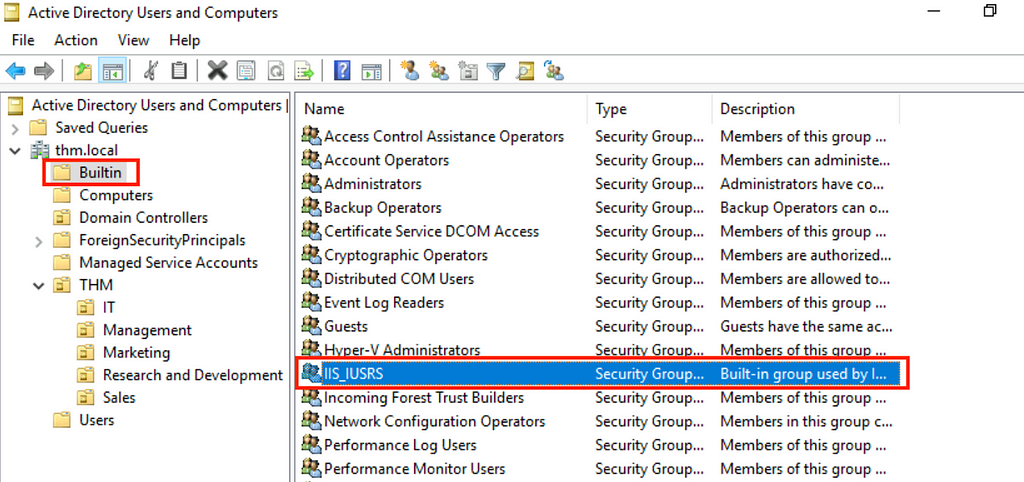
A built-in AD Security Group called “IIS_IUSRS” was created by Windows Internet Information Services (IIS).
Part 2: Role-based Access Control (RBAC) and AD Security Group
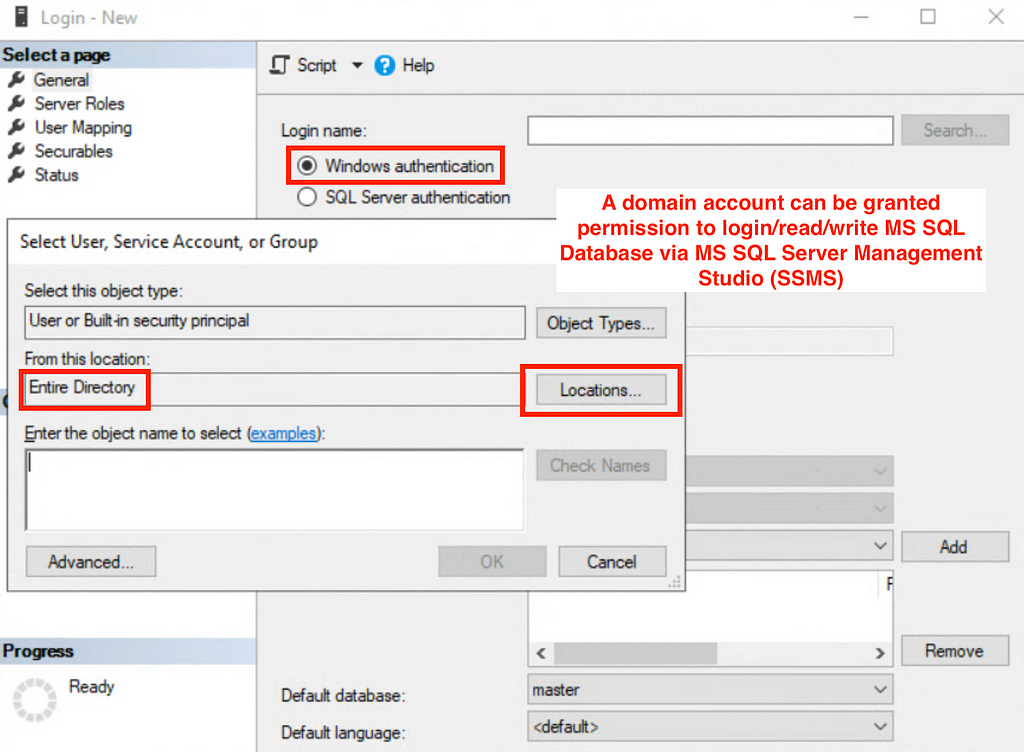
A domain account can be granted permission to login/read/write MS SQL Database via MS SQL Server Management Studio (SSMS). The permission can also be granted to a security group in AD. For example, a security group called Database Administrators can be granted permission to read and write database content in MS SQL.
Any changes in AD security group members will reflect immediately on MS SQL access. Therefore, It creates a Role-based Access Control (RBAC) mechanism to limit access based on the user’s current job duties.
Part 3: Manage Users in AD: Delegation
AD can grant privileges to users to perform tasks such as account management.
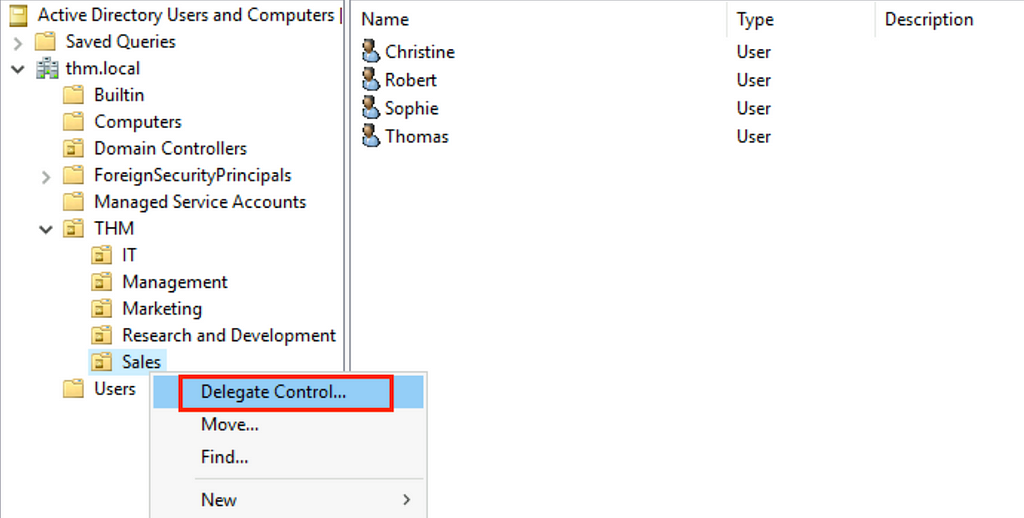
Search for a user belonging to the IT Organizational Unit.
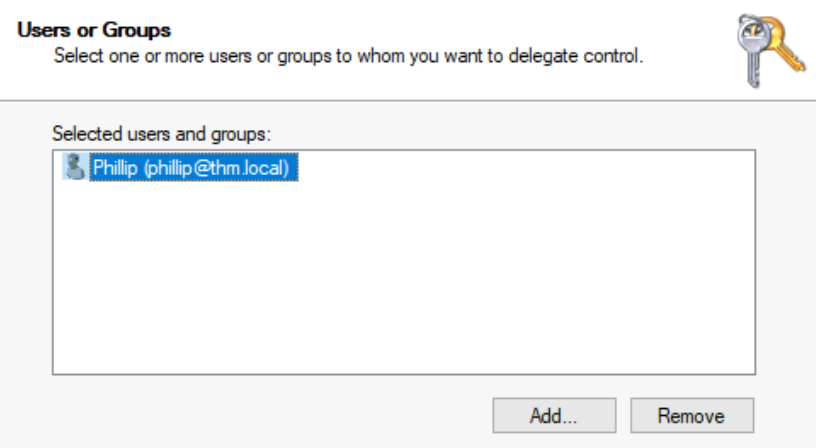
Select the tasks to be delegated to Phillip’s account.
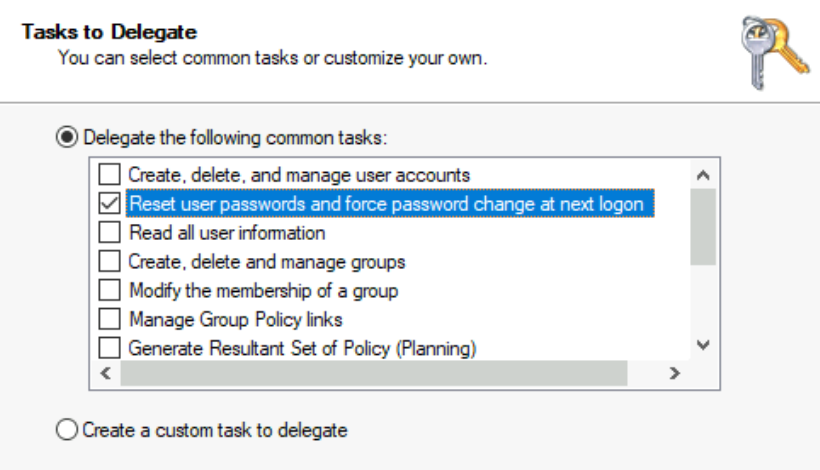
After the permission to reset a user’s password was granted to Phillip’s account, log in to Phillip’s account and reset the password of another user.
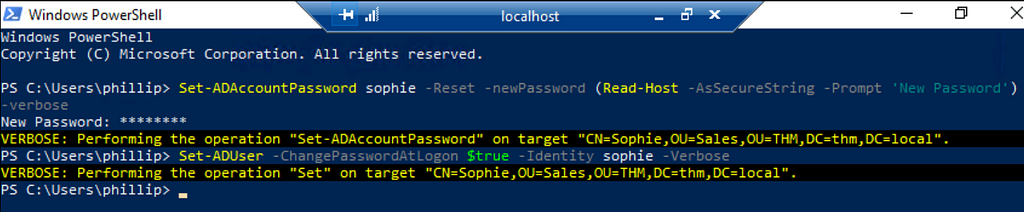
After changing Sophie’s account password, we can log in as Sophie using the password specified by the PowerShell command.
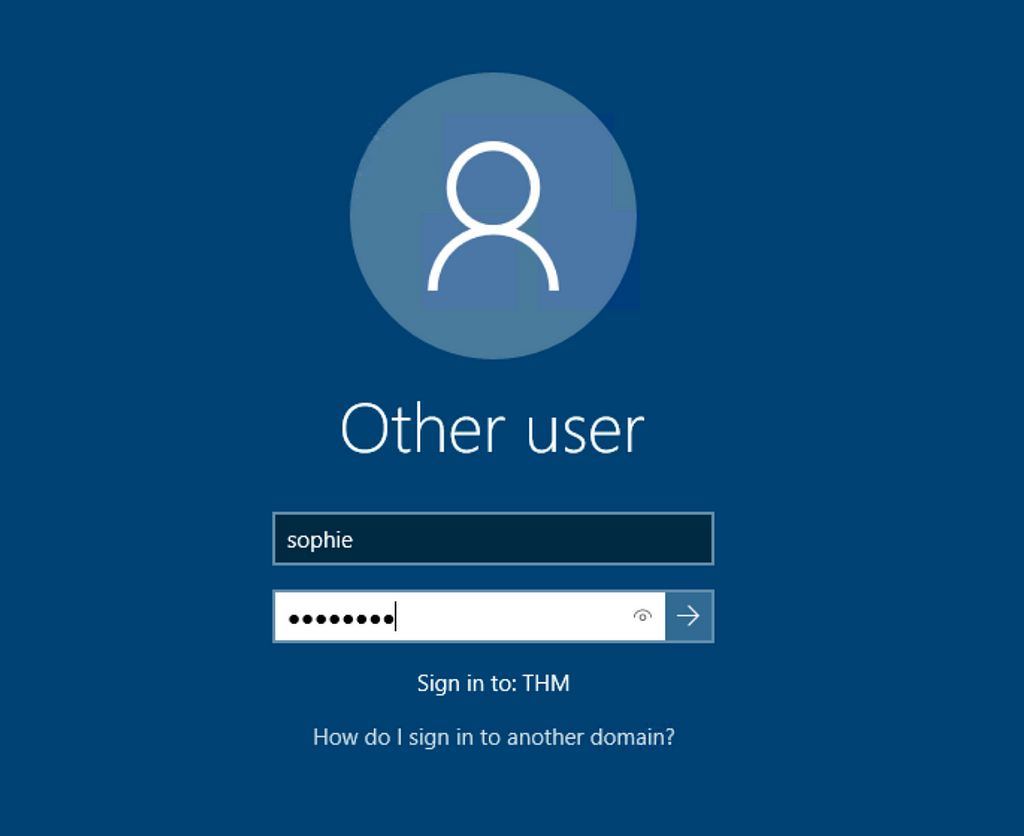
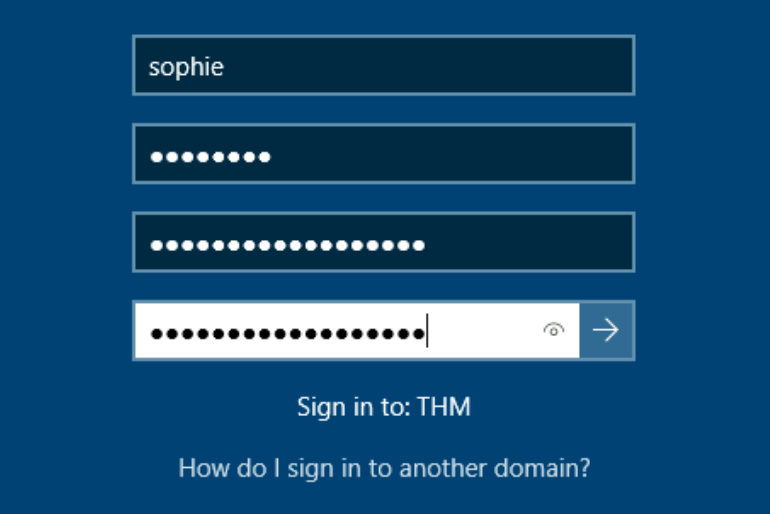
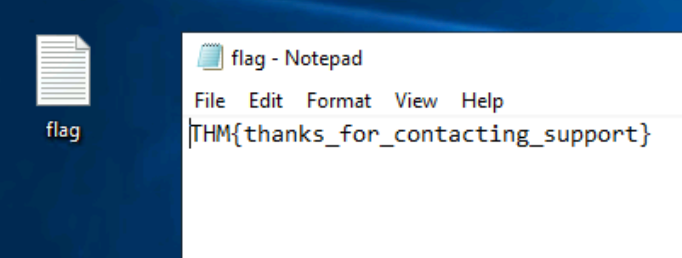
The flag found on Sophie’s desktop:
THM{thanks_for_contacting_support}
The process of granting privileges to a user over some OU or other AD Object is called:
Delegation
Part 4: Manage Computers in AD
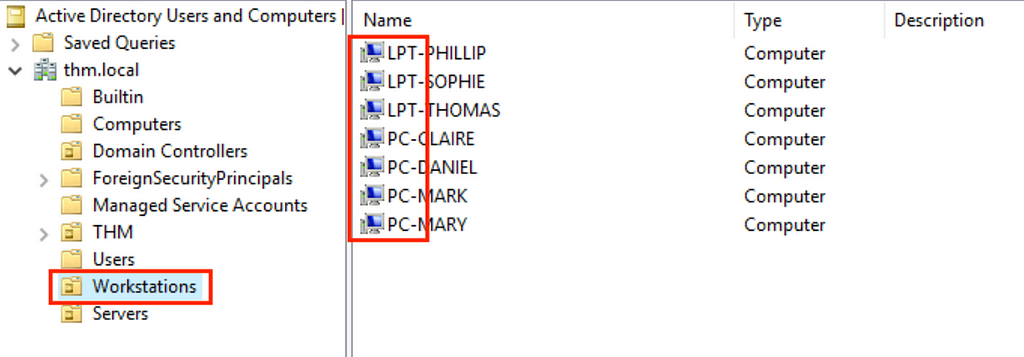
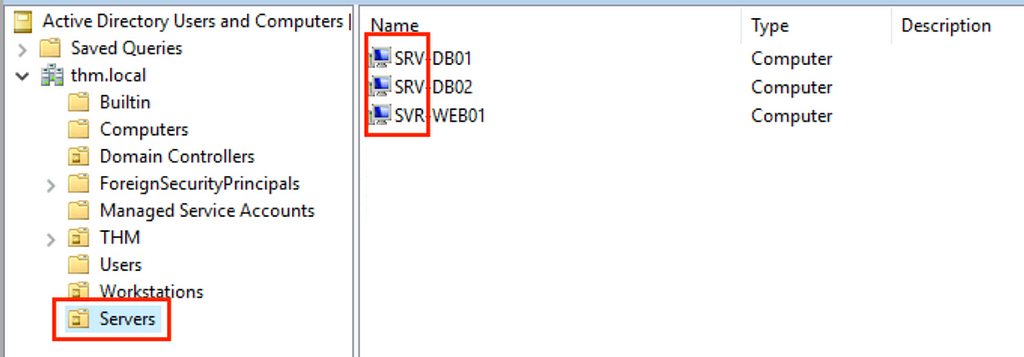
Organizational units can be created to store AD computer objects. For management purposes, workstations and servers shall be classified using unique identifies (e.g., Naming starts with LPT, PC, SRV) and grouped separately in AD. Group policies can then be applied to configure computers of the same type centrally.
Workstations OU
The number of PCs in the Workstations OU after reorganization: 7
Servers OU
The number of servers in the Servers OU after reorganization: 3
Part 5: Windows Group Policy
Group policies can be used to apply policies for OUs so that their configuration and security baselines align with the standards set by an organization.
In the TryHackMe lab, three group policy objects (GPOs) were defined: #1) Default Domain Policy, #2) Default Domain Controller Policy, and #3) RDP policy.
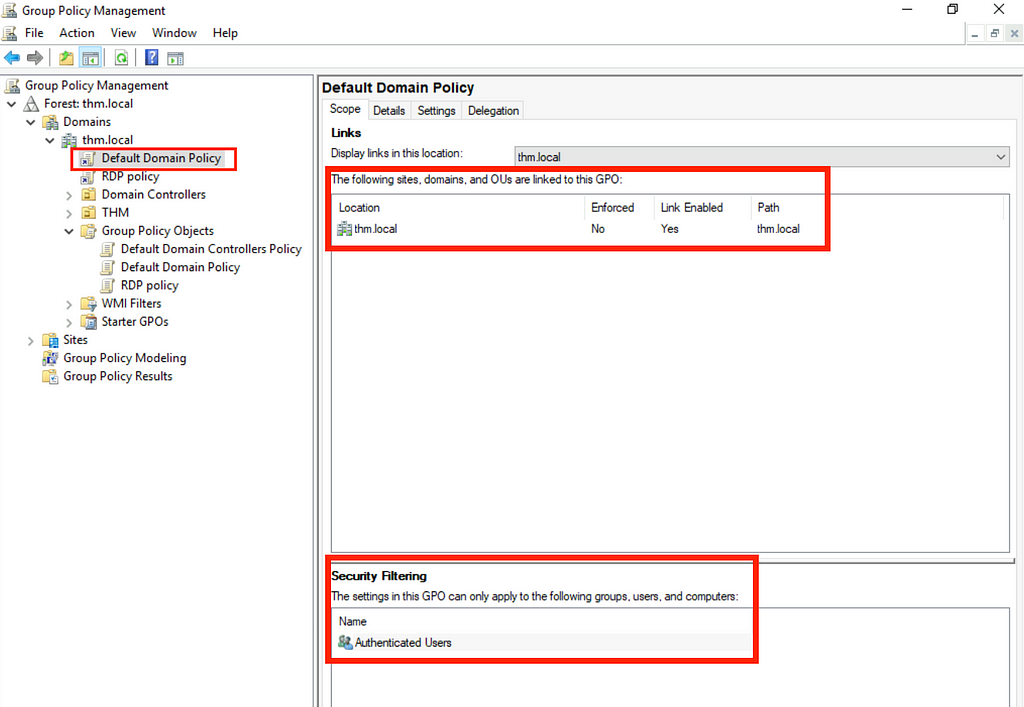
Scope of a Default Domain Policy
For #1), the Default Domain Policy covers the whole domain of “thm.local”. Any changes made will affect the whole domain. The Security Filtering section states that this particular GPO applies to Authenticated Users, which includes all user and computer objects in the domain.
- Password Policy settings in GPO affect computers, not users.
- Authenticated Users contain computer accounts
Common mistakes in AD
Ref [2]: https://azurecloudai.blog/2018/12/31/most-common-mistakes-in-active-directory-and-domain-services-part-1/
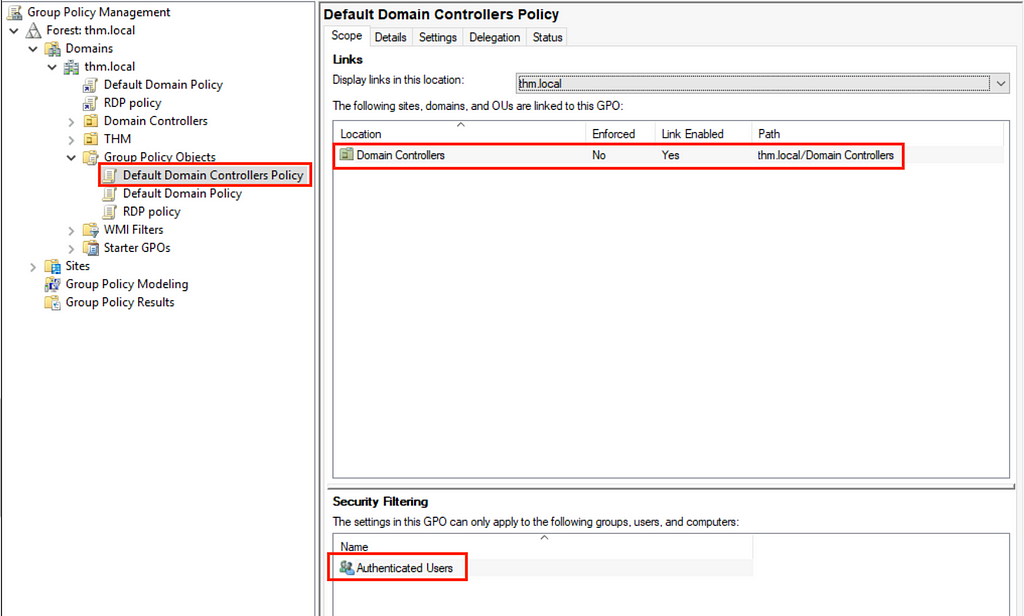
Scope of a Default Domain Controllers Policy
For #2), the Default Domain Controllers Policy covers only domain controllers of the “thm.local” domain. Therefore, changes will only apply to domain controllers rather than all users and computers.
More about the Scope of a GPO
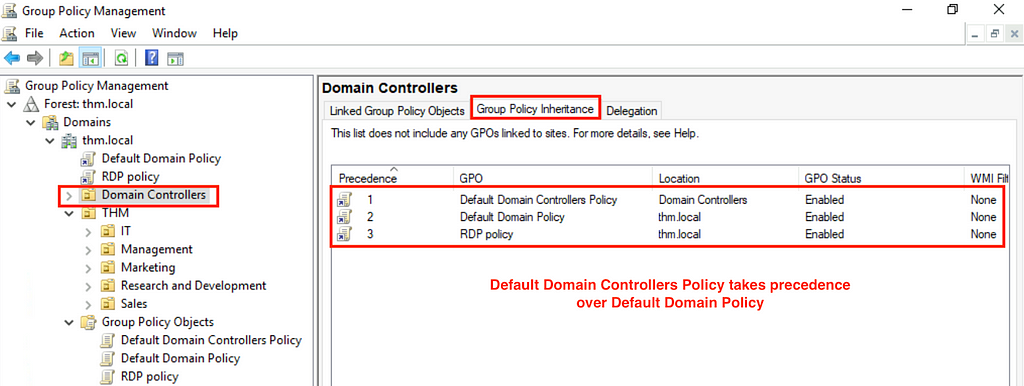
The configurations applied to #1) Default Domain Policy also apply to domain controllers. However, the configurations set in #2) Default Domain Policy will take precedence over the settings on #1) Default Domain Policy, shall there be a conflict.
The precedence of a GPO can be checked by viewing the “Group Policy Inheritance” tab.
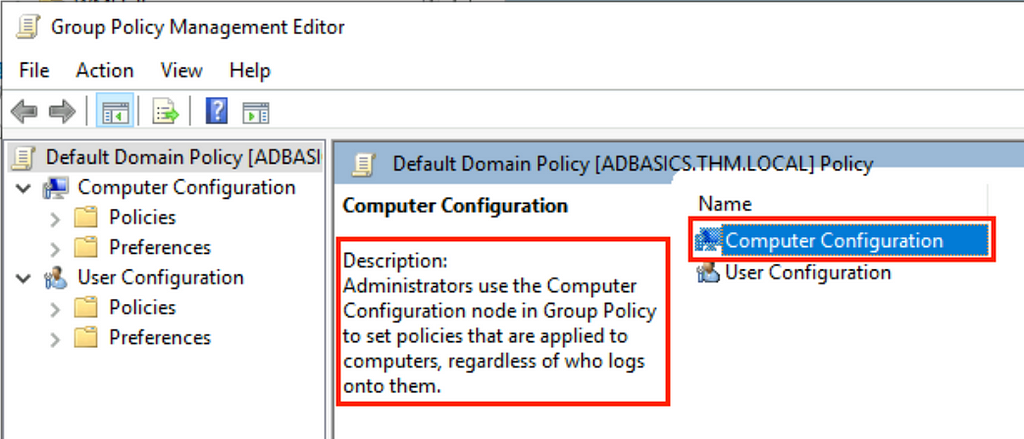
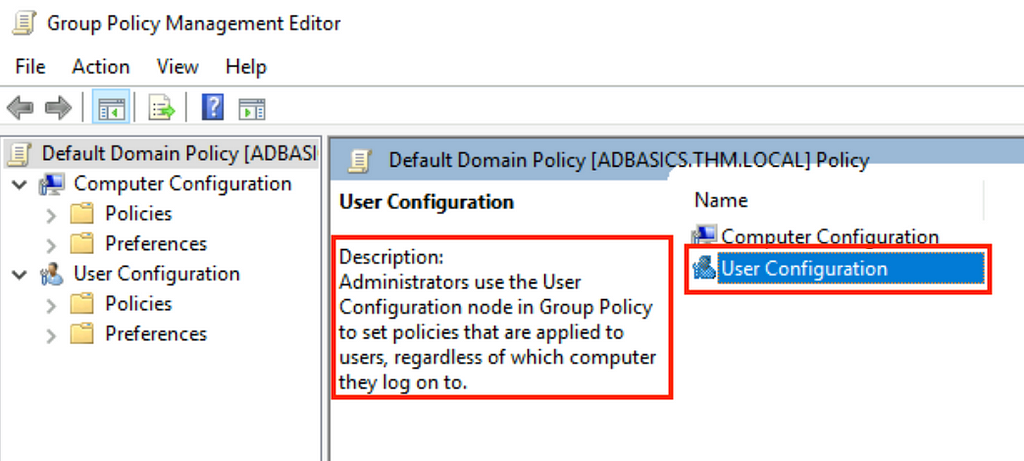
As seen in the description, modification to a group policy will apply to both computer and user objects.
Computer Configuration:
User Configuration:
Part 6: Create and Apply Group Policies
Create and apply Restrict Control Panel Access GPO
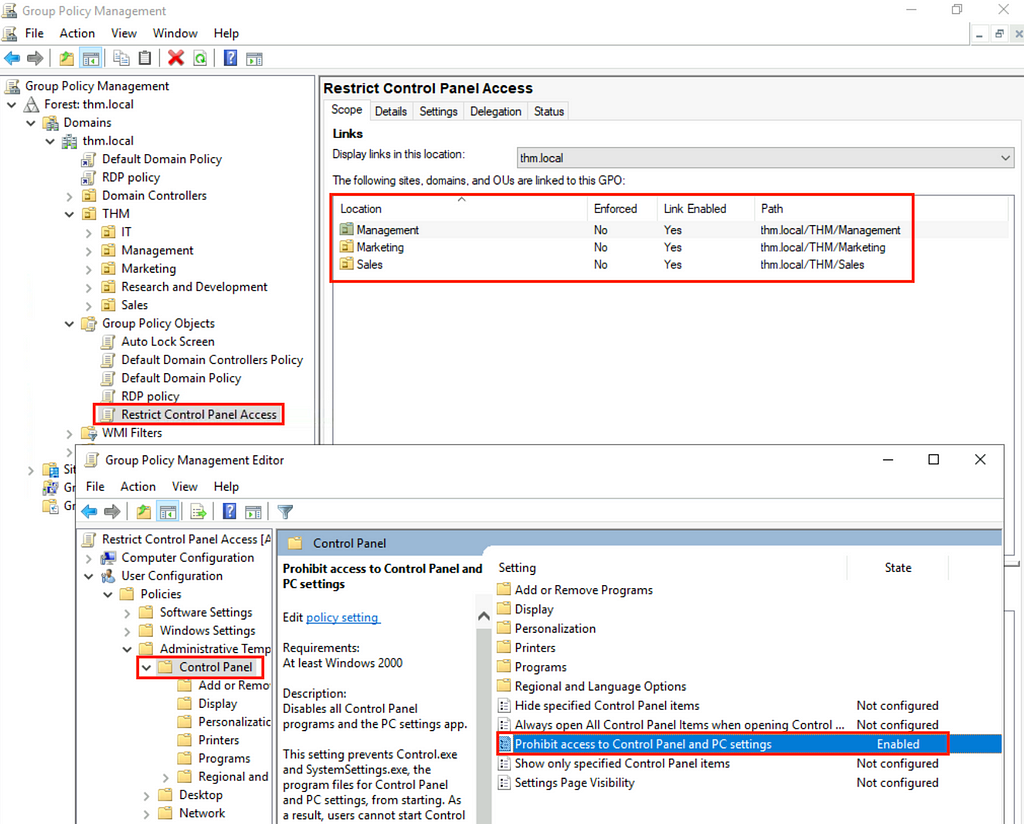
Using Group Policy Management Editor, the restrict control panel access policy was applied to three OUs of thm.local, including Management, Marketing and Sales.
Change a password policy of an existing GPO
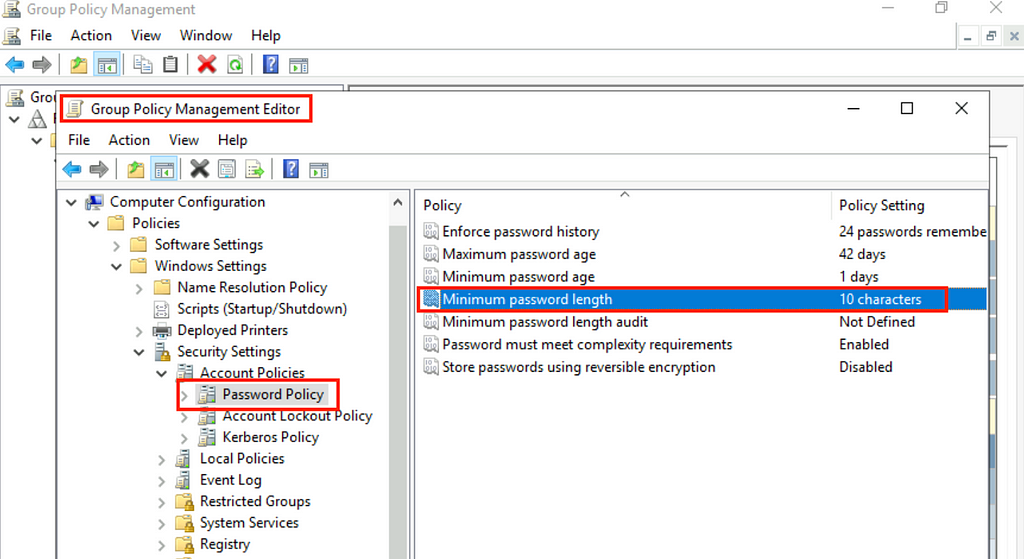
Password policies can be changed on the same Group Policy Management Editor. For example, the minimum password length and maximum password age.
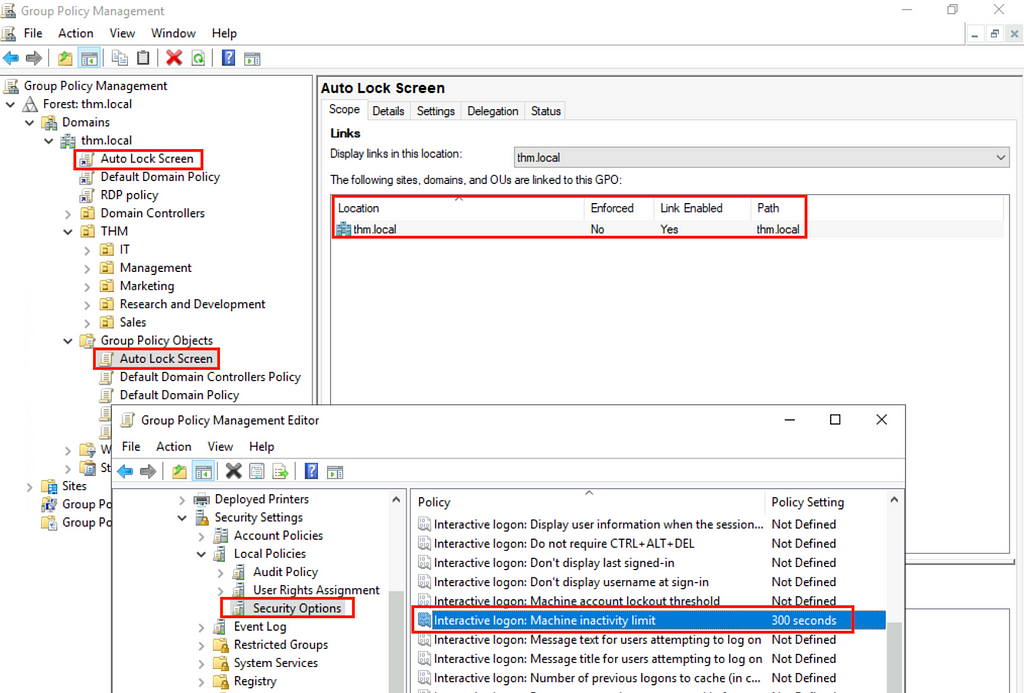
Create and apply Auto Lock Screen GPO
The auto screen lock policy was applied to the root thm.local domain.
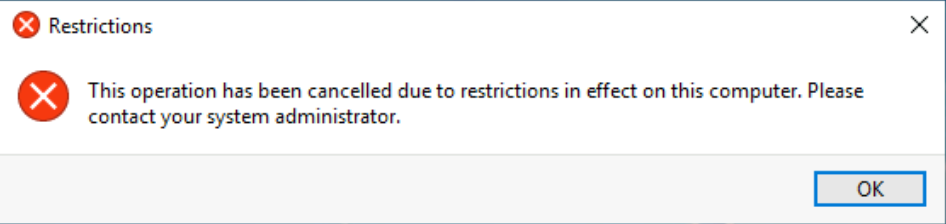
Upon applying the GPO on specific OUs, the associated accounts could not open the Control Panel. An error message will be displayed when a user attempt to perform an illegal action.
The name of the network share used to distribute GPOs to domain machines:
SYSVOL
Part 7: Authentication Methods
Domain controllers are like a password vault that stores the credentials of user accounts created within an AD domain. Except for local accounts, a client asks domain controllers to verify user credentials at each login. The mechanism behind it is called Kerberos Authentication.
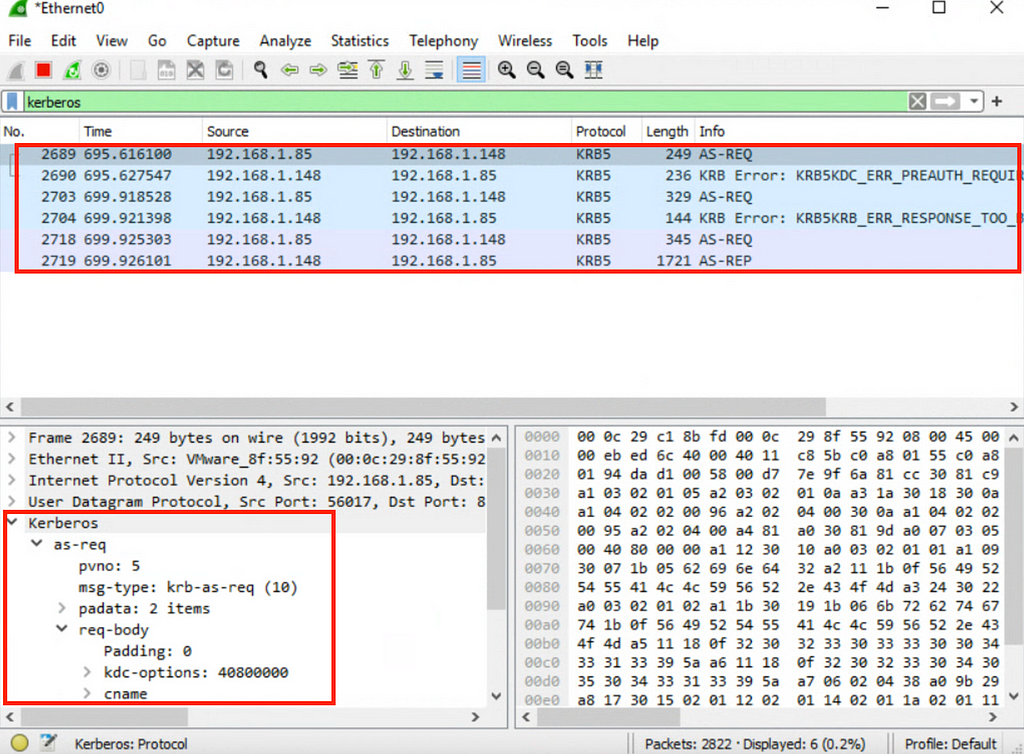
Kerberos allows users to authenticate via a ticketing mechanism. User passwords are not sent over the network. Instead, a client only requests a service ticket from the Key Distribution Center (KDC). The KDC then generates a Ticket Granting Ticket (TGT) and sends it back to the client. The client can then use the TGT to request further tickets to access resources over the network as an authenticated user.
By default, Windows no longer uses NetNTML as the preferred authentication protocol.
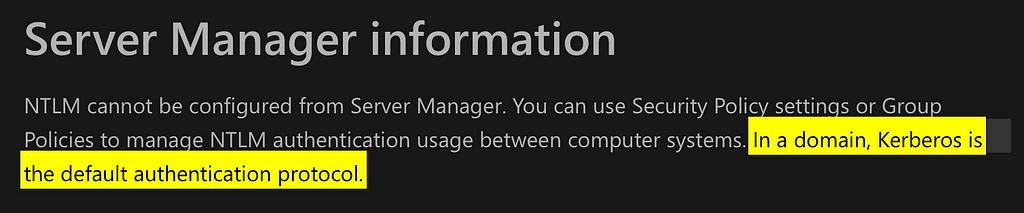
Microsoft Learn: NTLM Overview
Ref [3]: https://learn.microsoft.com/en-us/windows-server/security/kerberos/ntlm-overview
It is also worth noting that if a computer is not joined to an AD domain, it cannot use Kerberos authentication because there is no relationship between the operating system and the KDC.
The type of ticket allows us to request further tickets:
Ticket Granting Ticket.
Kerberos service ticket requests and replies over the network can be viewed using a packet-capturing tool like Wireshark.
Part 8: Trees, Forests and Trusts
Trees in AD contain a group of subdomains (e.g., uk.example.com and ca.example.com) under a root domain (example.com). A forest can be created if there are multiple trees in an organization and a need to manage resources and apply policies centrally (example1.com and example2.com).
An AD security group called Enterprise Admins can manage multiple domains (example1.com and example2.com) and subdomains (e.g., uk.example1.com and ca.example1.com)
If a forest is in place, a one-way or two-way trust relationship should be adopted to specify the permission to access resources between trees (e.g., two root domains like example1.com and example2.com).
If example1.com is set as the trusting domain and example2.com as the trusted domain, objects in example2.com can access objects in example1.com, but not vice versa.
The group of Windows domains that share the same namespace:
tree
The term which describes access permissions between domains:
a trust relationship
References
[1] Microsoft Learn: You can use Group Policy to assign user rights to security groups to delegate specific tasks.
https://learn.microsoft.com/en-us/windows-server/identity/ad-ds/manage/understand-security-groups
[2] azurecloudai.blog: Most Common Mistakes in Active Directory Domain Services
https://azurecloudai.blog/2018/12/31/most-common-mistakes-in-active-directory-and-domain-services-part-1/
[3] Microsoft Learn: AD uses Kerberos as the default authentication method.
https://learn.microsoft.com/en-us/windows-server/security/kerberos/ntlm-overview
Try the concept
Try it · a pretend office
Change one rule. Who gets it?
All three laptops start with a 10-minute screen-lock rule. Your new rule is 5 minutes. Choose where to try it.
- Maya's laptopPilot groupLocks after 10 min
- Leo's laptopPilot groupLocks after 10 min
- Nora's laptopOutside the pilotLocks after 10 min
Nothing has changed yet. Start with the small pilot.
Illustrative model, not Windows or a real network. Turning a policy off does not always undo a real setting; an administrator must check recovery.
About this resource · sources, dates & scope
Attribution: Kelvin Ling. Original publication: . Recorded revision: .
The original technical writing is preserved. Software-specific procedures can reflect older versions; consult current official documentation before operational use. The accompanying concept exercise was added October 2, 2026; it does not mean the older procedure was retested.
Community discussion
Comments
Ask a question or share a practical note. Comments publish immediately after verification and spam checks. Do not post personal or confidential information.
Loading comments…