
What does HTTPS protect? A padlock is not a trust guarantee
Try a protected connection to a lookalike site. Learn why HTTPS protects transport but does not prove that a website is honest.
On this page
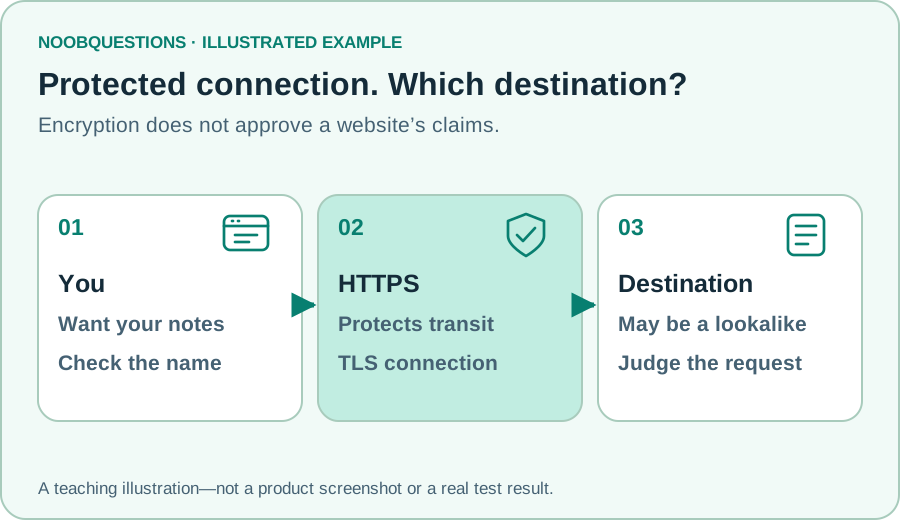
In a few minutes: Read the connection and the destination as two separate questions before deciding what to trust.
Two questions, not one green tick
You are about to open a shared notebook. First ask whether the connection is protected. Then ask whether you reached the notebook service you meant to use. These questions are related, but their answers are not interchangeable.
HTTPS is HTTP carried over a TLS-protected connection. It helps protect the exchange against eavesdropping and alteration in transit. A browser also checks the server’s certificate as part of establishing that connection. MDN defines HTTPS; Mozilla explains its protections and limits.
A protected connection to a dishonest website remains a connection to a dishonest website. It can deliver false claims, ask for unnecessary personal details, or imitate a brand. Encryption is not a review of the business behind the page.
Try it: protected, but still the wrong place
Leave HTTPS selected and switch the destination to the lookalike. Notice that the connection remains protected while the destination becomes wrong in this story. Then return to the intended name and choose HTTP. Now you have a different problem.
Both names below are fictional reserved examples, not links to visit. The demonstration does not inspect your current connection or test certificates. It simply makes the two questions visible.
Learn by changing one thing
A protected connection to which website?
Choose a connection and a destination. The two answers tell you different things.
All names are fictional reserved examples. HTTPS protects transport; it does not certify business honesty. This does not test a real certificate or website. Inputs stay on this page; no account, file, or network is changed.
Read the address before the page design
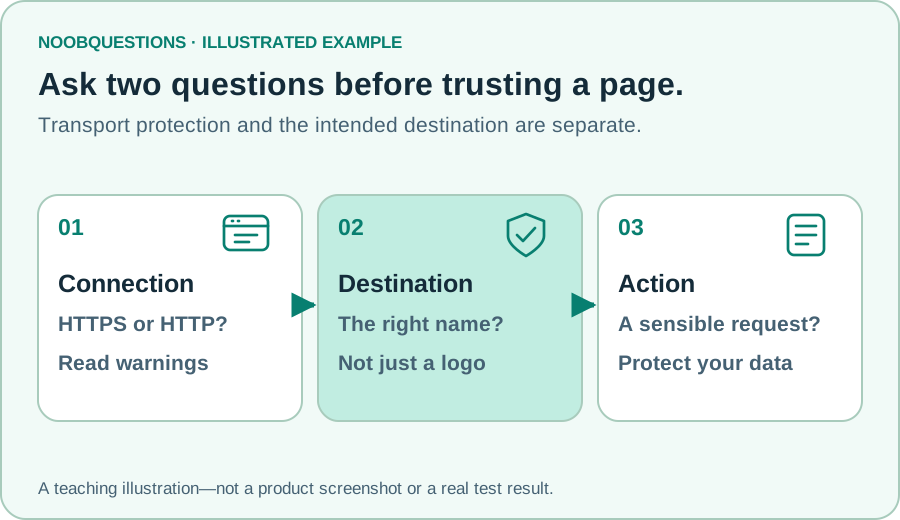
In this example, notes.example and notes-login.example are different names. The extra word is not automatically malicious in real life, but resemblance alone does not make two domains the same organization.
For a service you already use, a saved bookmark or a trusted official route is a better starting point than an unexpected message asking you to sign in. Slow down when a page asks for credentials, payment, or sensitive files. A familiar-looking logo is easy to copy.
Do not reduce the check to “does the address contain my organization’s name somewhere?” Names can appear in a path or in an unrelated domain. A full explanation of domain boundaries is in the DNS guide.
What to do with a warning
A certificate warning means the browser could not establish the expected trust checks for that connection. It is not a challenge to click through as quickly as possible. For a normal public service, stop and use its official support or a known trusted route.
A warning-free visit still requires judgment about the content. HTTPS does not prevent you from downloading a harmful file or voluntarily sharing a secret with the wrong party. It is an essential layer, not the whole decision.
Browser icons and wording change over time. Some browsers no longer use a prominent padlock for ordinary HTTPS pages. Understand the information being reported rather than relying on a particular icon’s shape.
This article explains transport protection, not how to configure a certificate authority or evaluate an organization’s identity documents. The demo deliberately leaves those operational details out.
A quick check
A lookalike site uses HTTPS. Is that proof it is trustworthy?
Pick an answer. You can try again.
Add another layer—not another assumption
Even at the intended service, a stolen password is a problem. Try the MFA exercise to see why an additional independent check can help. To compare fingerprints with encryption, explore the hashing lab.
The useful habit is simple: check where you are going, understand the connection warning, and judge the action the page asks you to take.
About this resource · sources, dates & scope
Attribution: noobquestions Editorial. Original publication: . Recorded revision: .
An original AI-assisted teaching lesson. Illustrations and models simplify the concept; they are not screenshots or proof of a deployed system.
AI-assisted · Original teaching scenarios; primary references checked October 2, 2026. Exercises are local models, not verified production deployments.
Community discussion
Comments
Ask a question or share a practical note. Comments publish immediately after verification and spam checks. Do not post personal or confidential information.
Loading comments…