
Read, edit, or admin? Permissions explained with a shared notebook
Choose a role and try an action on a pretend team notebook. See least privilege in practice and why signing in does not authorize everything.
On this page
In a few minutes: Separate identity from permission, and choose a role that matches the task rather than the biggest available role.
One notebook, three kinds of access
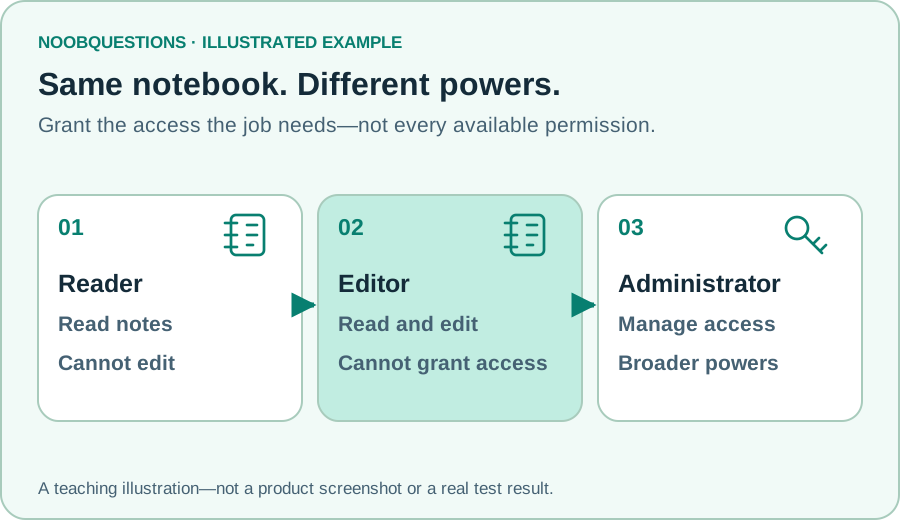
A team shares a notebook. Jamie only needs to read meeting notes. Sam updates them. Priya decides who can join the team. Giving all three the broadest role would be convenient—but it would also make mistakes affect more things.
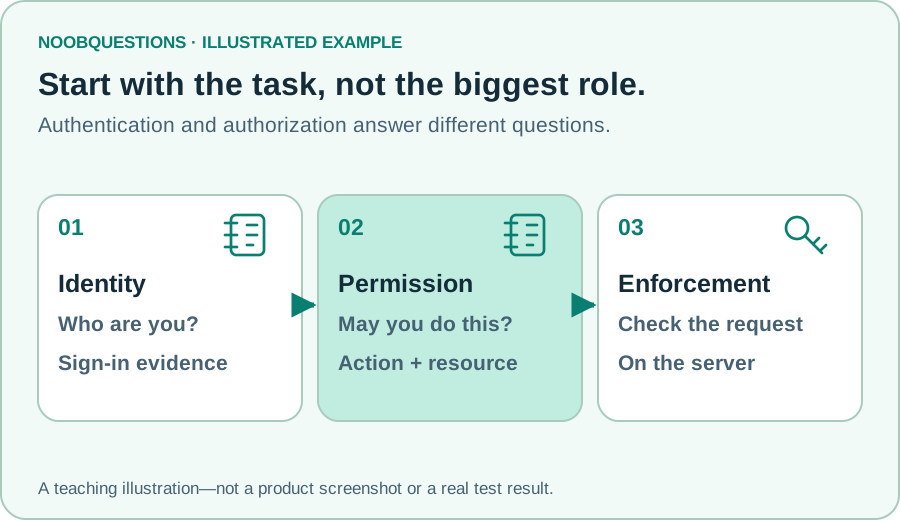
Authentication asks who you are. Authorization asks whether that identity may perform this action on this resource. A successful sign-in does not answer every authorization question. OWASP’s authorization guidance emphasizes least privilege and server-side permission checks.
Least privilege means granting the access needed for the job, not every permission a system can offer. Start with the task: reading a note does not require changing who can access the whole notebook.
Try it: would this action be allowed?
Choose Reader, then try editing a note. The denial is expected. Switch to Editor and try the same action. Finally ask the editor to change who has access; that requires Administrator in our invented scheme.
The same person could hold different roles in different projects. Here we show just one notebook and three actions to keep the boundary visible. Nothing is actually written or deleted.
Learn by changing one thing
Same notebook. Different permissions.
A fictional team shares a notebook. Choose a role and ask the system to do one action.
An invented permission scheme: reader = read; editor = read and edit; administrator = all three. Real products use different roles and must enforce permissions on their servers. Inputs stay on this page; no account, file, or network is changed.
A role is a bundle, not a universal definition
“Editor” is not a standardized promise across every application. One product might let editors invite people; another might not. Read the actual permission list instead of inferring everything from the label.
Roles are a convenient bundle of permissions. Real rules may also consider which document is involved, ownership, group membership, or other conditions. “Can edit notebook A” should not accidentally become “can edit notebook B.”
Ask a practical question before granting access: what would go wrong if this person’s account were compromised? Reducing unnecessary permissions can reduce the reach of that compromise, although it does not prevent every attack.
Hiding a button is not enough
Our browser model shows how a decision works. A real application must enforce its decision where the action is processed, typically on its server. Hiding the Edit button is useful interface design, but somebody can try to send a request without clicking that button.
Permission checks must apply to the specific resource and action. Checking access on one screen but forgetting an export or API route creates a gap. This guide does not turn its teaching widget into a production authorization system.
As a team owner, review access when somebody changes jobs, finishes a contract, or no longer needs a resource. Temporary convenience can otherwise become permanent privilege. Before removing a real administrator, confirm the team will still have an authorized recovery path.
As a reader, an “access denied” message does not automatically mean your password is wrong. You may be correctly signed in but lack permission for that document. Ask for the particular access needed rather than requesting every role.
A quick check
Jamie needs to read notes. Which role fits this model?
Pick an answer. You can try again.
Connect access to identity and administration
MFA protects part of the sign-in process; permission rules constrain what a signed-in identity can do. Both matter, and neither substitutes for the other.
For a deeper workplace example, explore Active Directory and Group Policy. Directory groups, organizational units, and permissions serve different purposes; avoid treating them as interchangeable labels.
About this resource · sources, dates & scope
Attribution: noobquestions Editorial. Original publication: . Recorded revision: .
An original AI-assisted teaching lesson. Illustrations and models simplify the concept; they are not screenshots or proof of a deployed system.
AI-assisted · Original teaching scenarios; primary references checked October 2, 2026. Exercises are local models, not verified production deployments.
Community discussion
Comments
Ask a question or share a practical note. Comments publish immediately after verification and spam checks. Do not post personal or confidential information.
Loading comments…