
Passive Recon through ExifTool, Social Engineering and WiGLE
ExifTool is an application for reading and modifying multimedia files such as images.
On this page
ExifTool is an application for reading and modifying multimedia files such as images. Information contained in an image can be a starting point for performing social engineering. This article presents the methodology to retrieve information stored in an image from a TryHackMe Room using ExifTool. The information gathered from the image’s metadata will be used for social engineering to obtain additional information about the author. Important information will be analyzed in a key-value format using an online wireless hotspot database — WiGLE.
Part 1: Retrieve the metadata of an image file
Part 2: Retrieve the author’s information through Social Engineering
Part 3: Use WiGLE API to find out the SSID information from a BSSID
TryHackMe Room — OhSINT
https://tryhackme.com/room/ohsint
Part 1: Retrieve the metadata of an image file
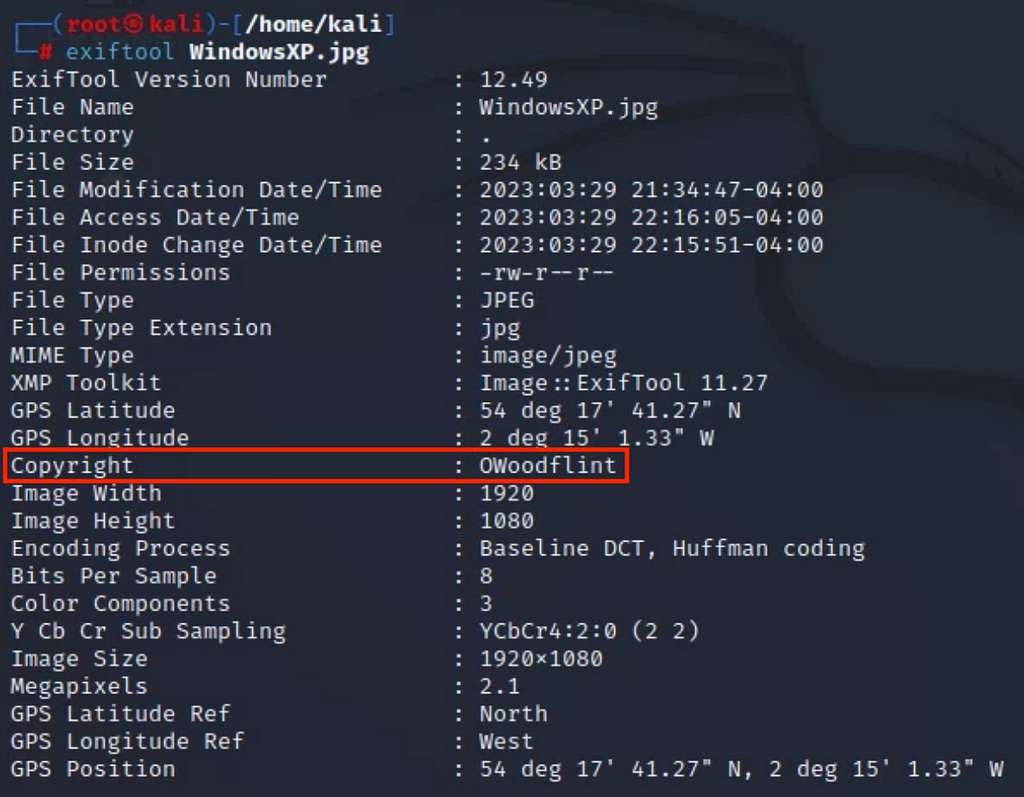
To begin with, ExifTool provides an easy method to retrieve the metadata of an image file. Running ExifTool on a Linux OS, the command to extract information from an image is as follows.
exiftool WindowsXP.jpg
After executing the command, information such as Copyright appears. The most interesting information on the image is copyright information, which is stated as OWoodflint.
Part 2: Retrieve the author’s information through Social Engineering
The author’s information gathered from ExifTool provides a starting point for collecting additional information about the background of those involved in creating the image. To begin with, a simple Google search of the author’s name revealed that the author has an associated avatar.
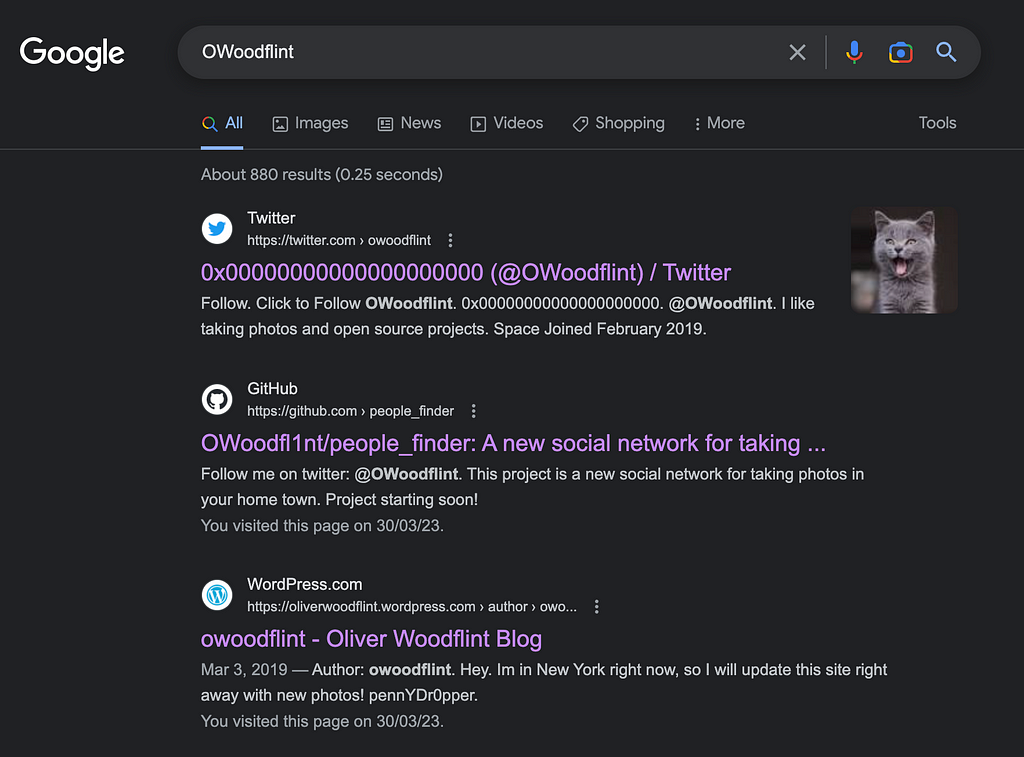
- The users avatar of:
cat
Visit the author’s profile on GitHub and discover their location and email.
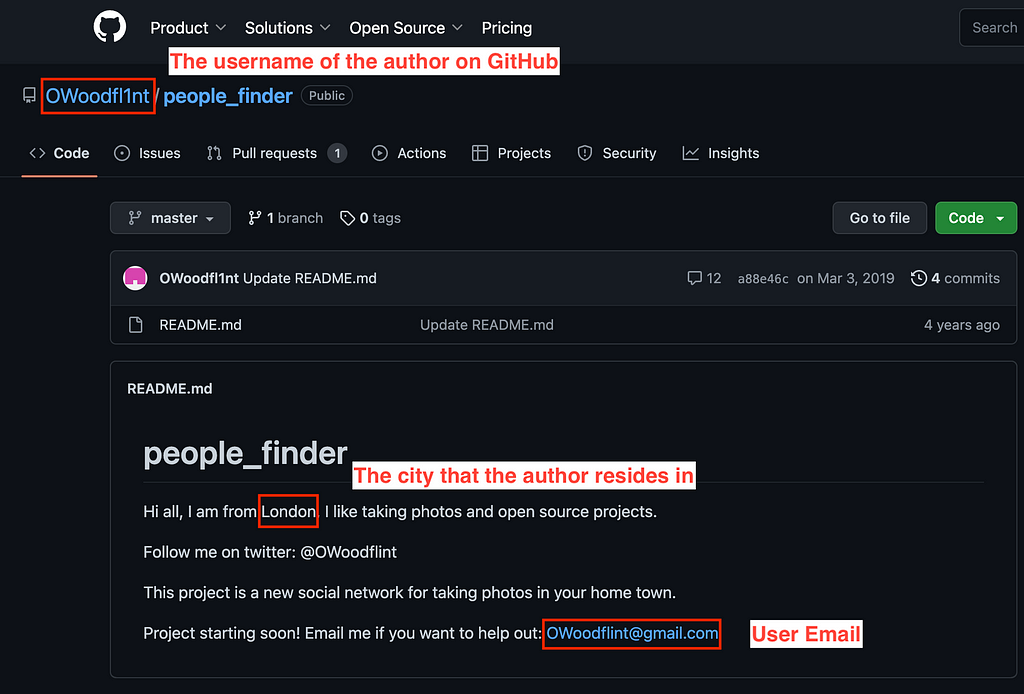
- The city that the person was in:
London
- The author’s email address:
- The site which the author used:
GitHub
Alternatively, the following query can be put to a search engine to identify the author’s footprint on the Internet:
OWoodflint [name] + email
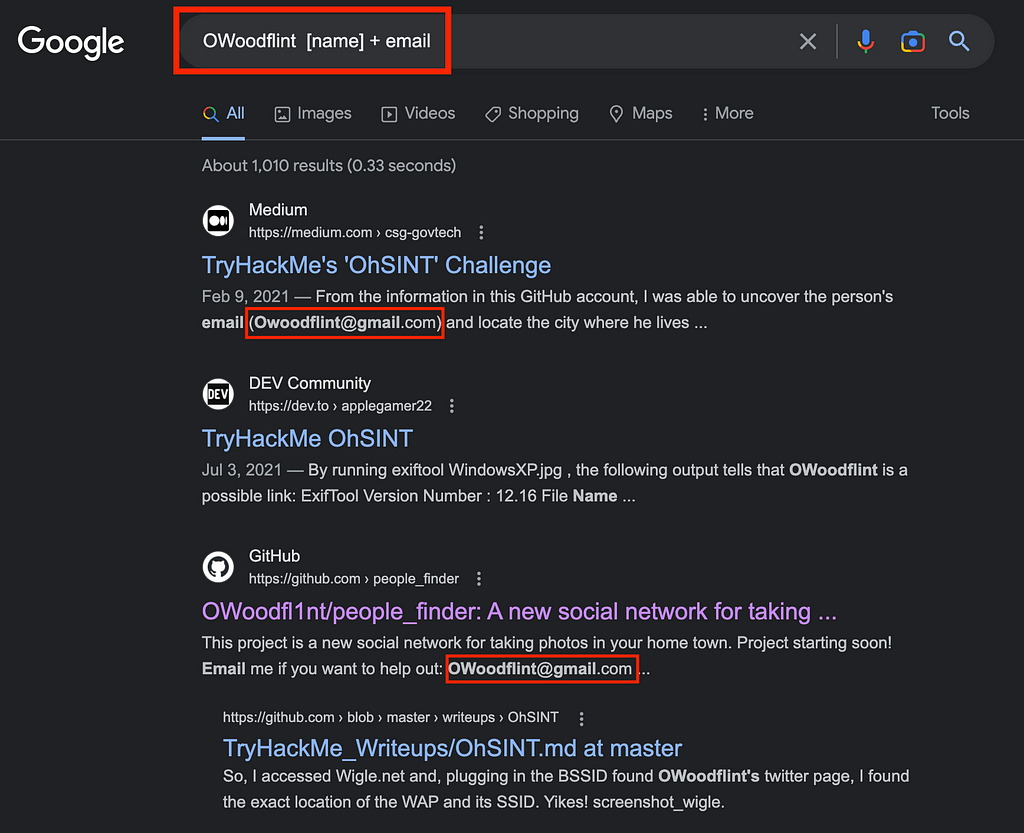
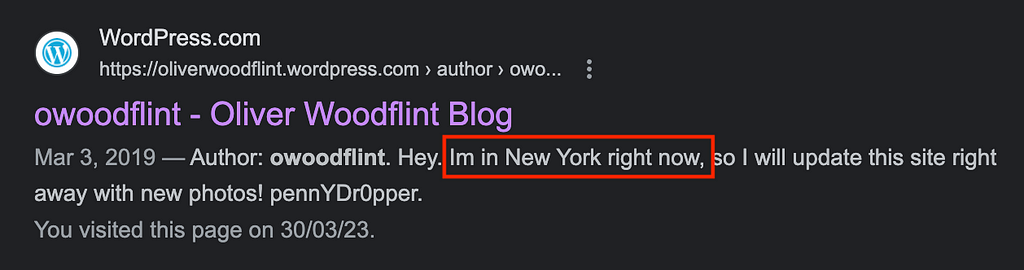
- Another Google search result shows the author’s latest location:
New York
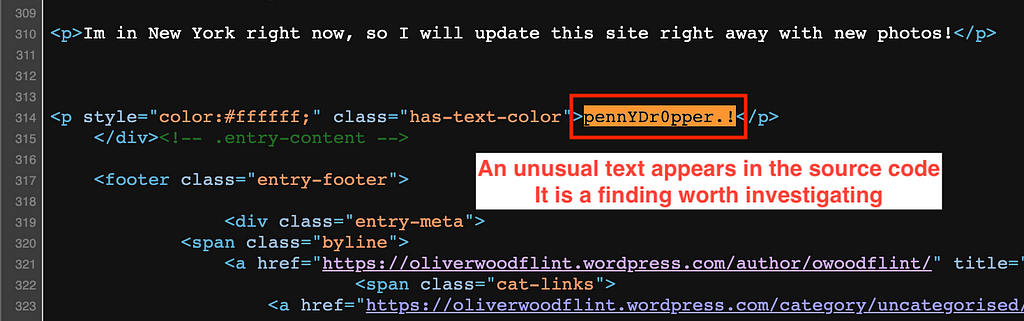
Scraping the source code of the author’s website, an out-of-ordinary value has been located.
- The person’s password:
pennYDr0pper.!
Part 3: Use WiGLE API to find out the SSID information from a BSSID
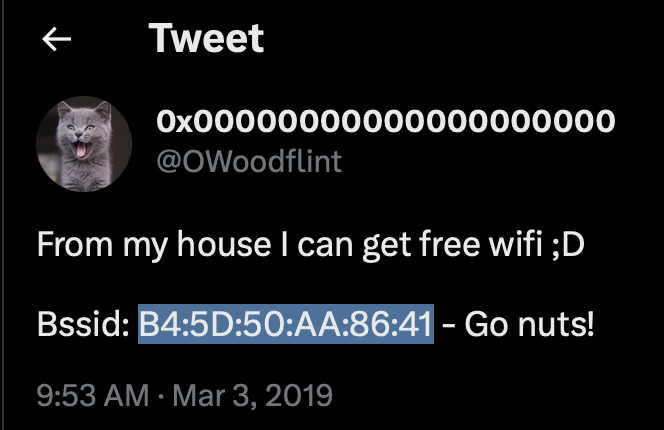
The author gives out the BSSID information on a social media platform. An online Wi-Fi database such as WiGLE can be used to discover more information, such as the potential SSID associated with a BSSID.
curl -i -H ‘Accept:application/json’ -u <API Name>:<API Token> — basic https://api.wigle.net/api/v2/network/detail?netid=B4:5D:50:AA:86:41 > wifi_tryhackme.json | grep ssid
Ref: https://wigle.net/account
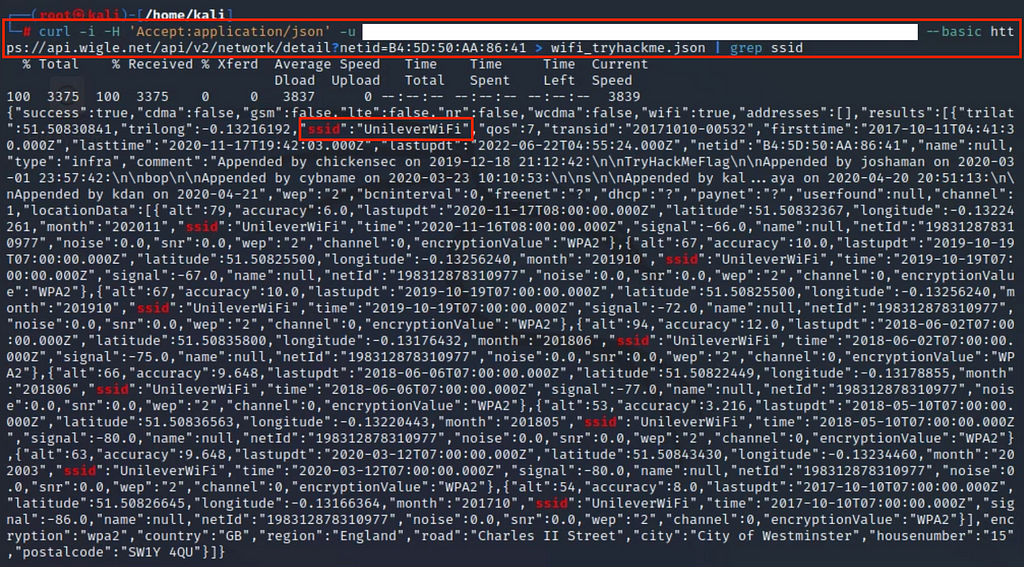
Use jq to parse a JSON and display it in a more readable format.
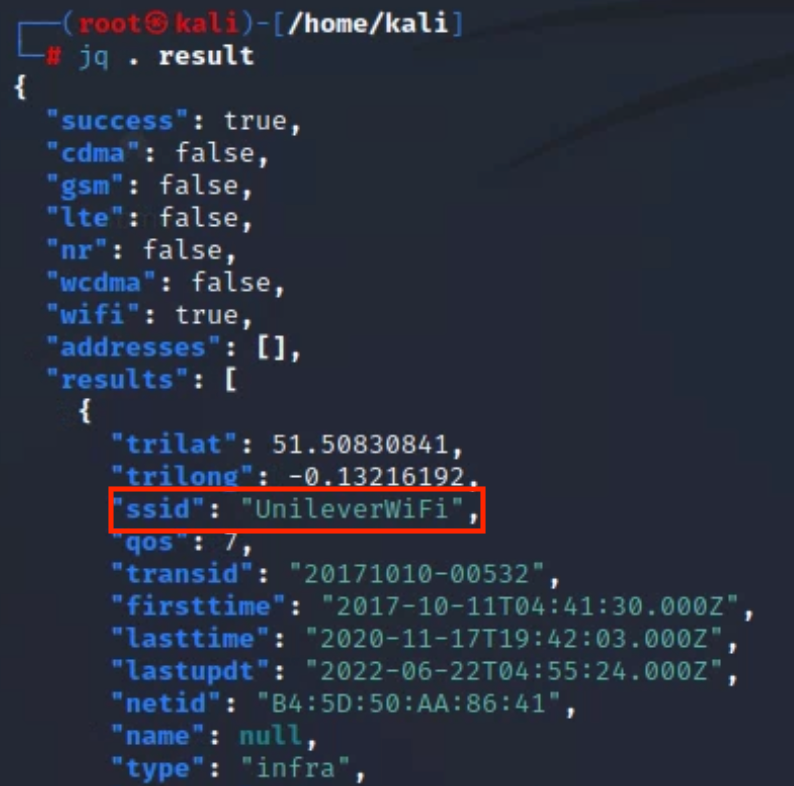
- The SSID that the author connects to:
UnileverWifi
About this resource · sources, dates & scope
Attribution: Kelvin Ling. Original publication: .
The original technical writing is preserved. Software-specific procedures can reflect older versions; consult current official documentation before operational use.
Community discussion
Comments
Ask a question or share a practical note. Comments publish immediately after verification and spam checks. Do not post personal or confidential information.
Loading comments…