
Using Threat Intelligence Tools to Investigate Cyber Attacks
TryHackMe Room: https://tryhackme.com/room/threatinteltools Threat intelligence tools allow us cyber security professionals to analyze security incidents.
On this page
TryHackMe Room: https://tryhackme.com/room/threatinteltools
Threat intelligence tools allow us cyber security professionals to analyze security incidents. There are specific tools for investigating each kind of threat. Ranging from malicious URLs, malware, emails and IP addresses, analysts can utilize platforms to conduct threat assessments.
Categories of threat intelligence
Threat intelligence often involves analyzing a large amount of data collected through SIEM software such as Splunk. To make sense of the events, we need the help of various threat intelligence tools. For example, a SOC analyst identified an IP address from Splunk’s log performing suspicious activities. The next step is often to perform a reputation check and see if the IP address has been previously reported. Depending on the result and standard operating procedure, a SOC analyst can take further action to address the threat.
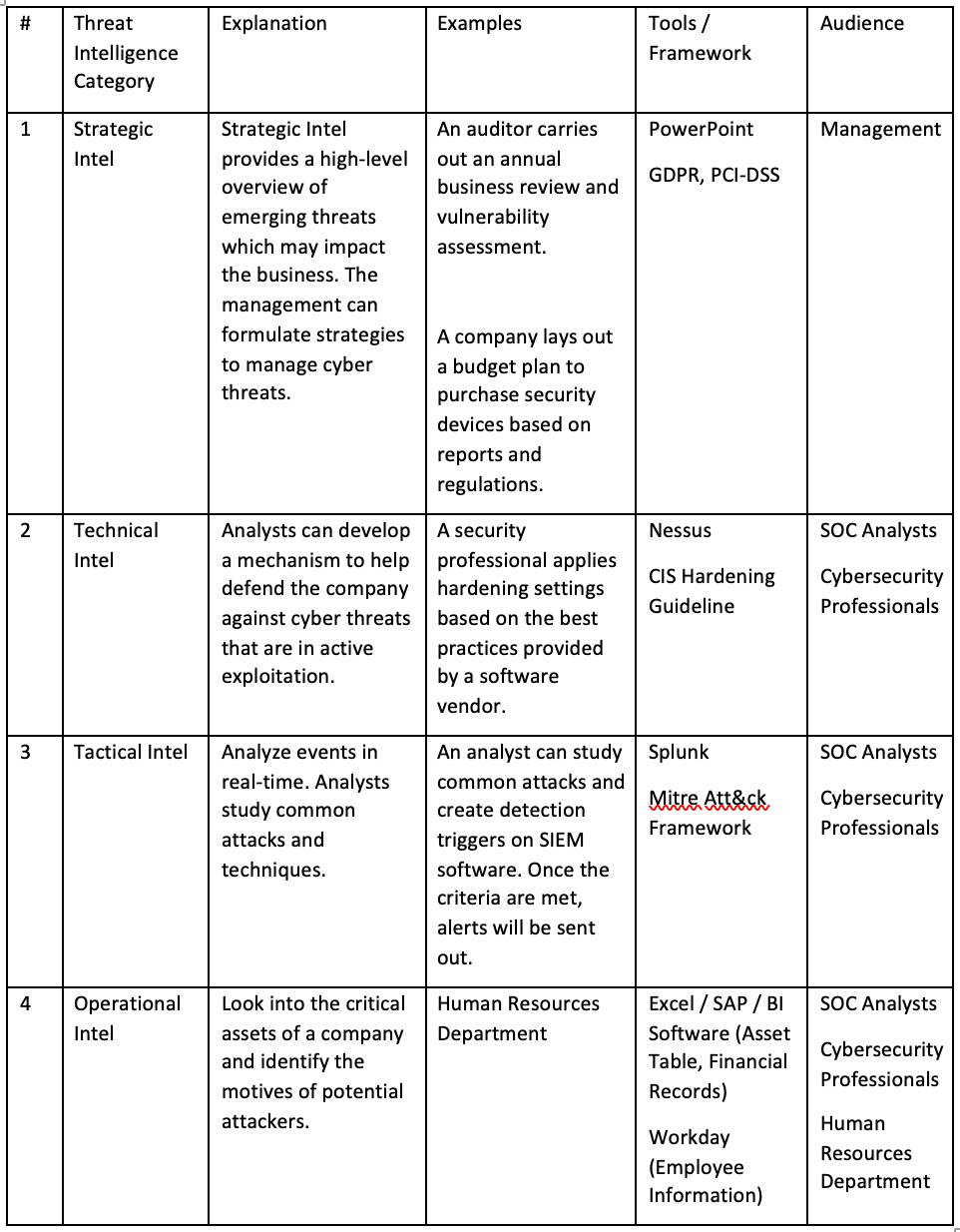
Threat intelligence can be classified into several categories. Employees of different ranks use threat intelligence tools for different purposes. The following table provides an overview of threat intelligence categories mentioned in the TryHackMe room.
Threat Intelligence Tools
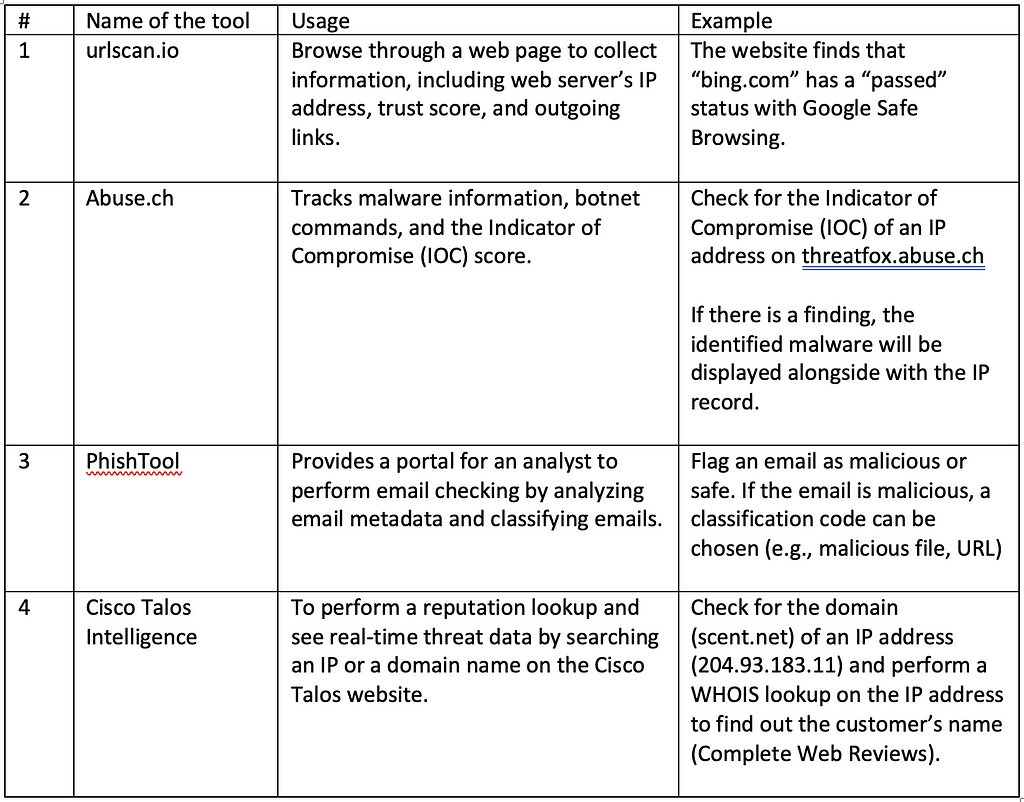
There are various threat intelligence tools available for analyzing security-related events. They are summarized in the table below.
1. UrlScan.io
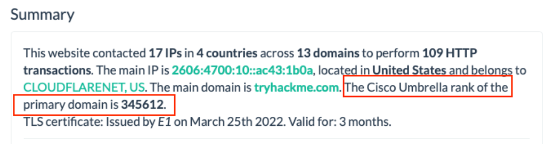
1.1. Using UrlScan.io to identify Cisco Umbrella Rank
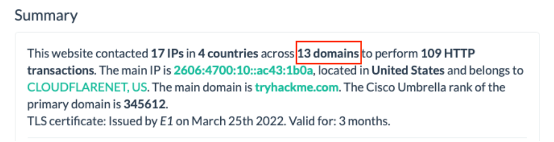
1.2. Using UrlScan.io to identify the number of domains associated with a website
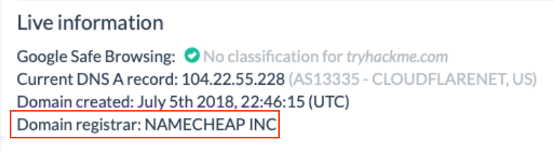
1.3. Using UrlScan.io to find out the main domain registrar
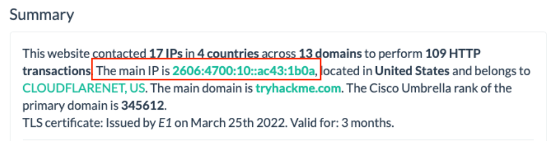
1.4. Using UrlScan.io to identify the main IP associated with the website
2. Abuse.ch
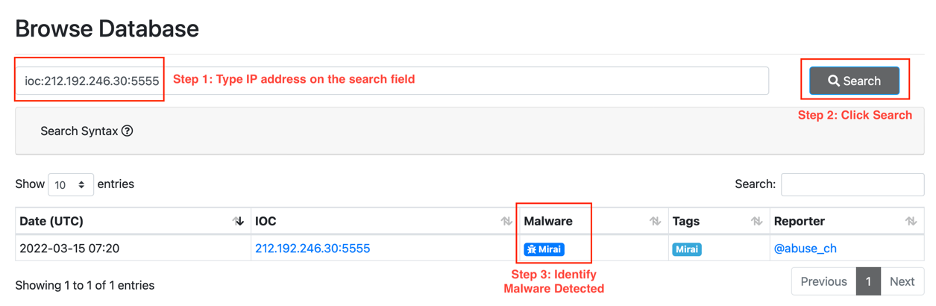
2.1. Using ThreatFox to identify malware associated with an IP address
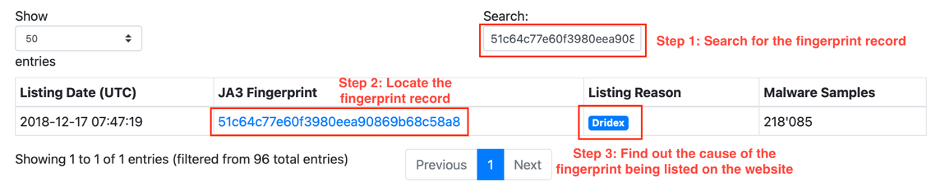
2.2. Locate malware information associated with a JA3 fingerprint on SSL Blacklist
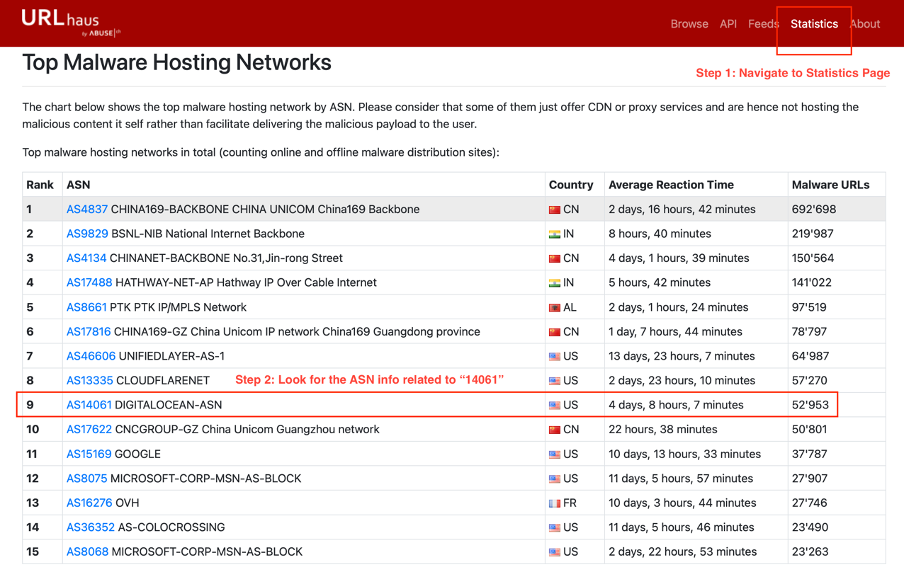
2.3. Identifying ASN number(s) that host the most malware on URLHaus
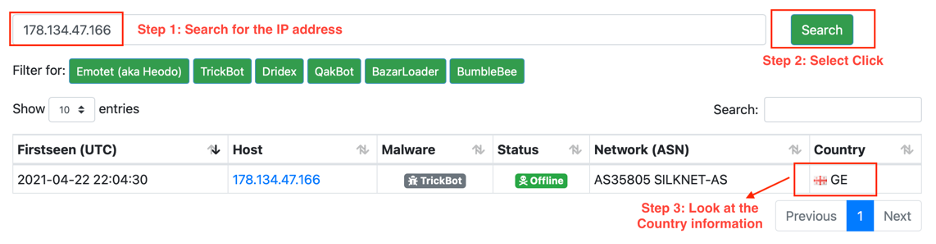
2.4. Find out the country associated with a botnet IP address using FeodoTracker
3. PhishTool
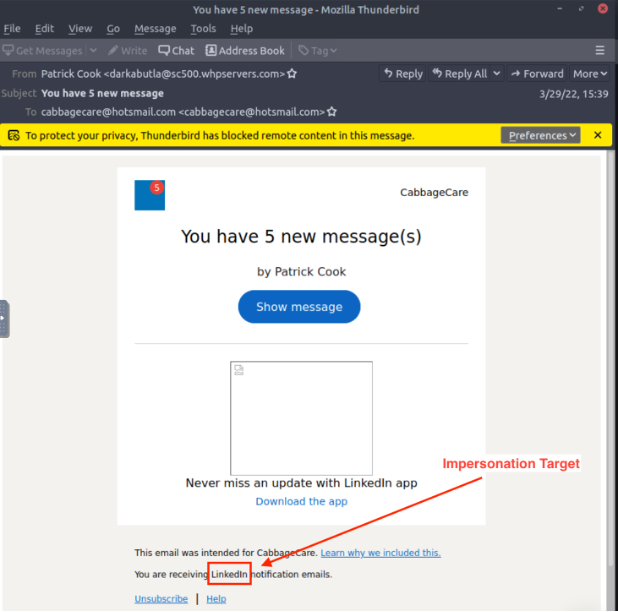
3.1. Finding the impersonation target of an attacker
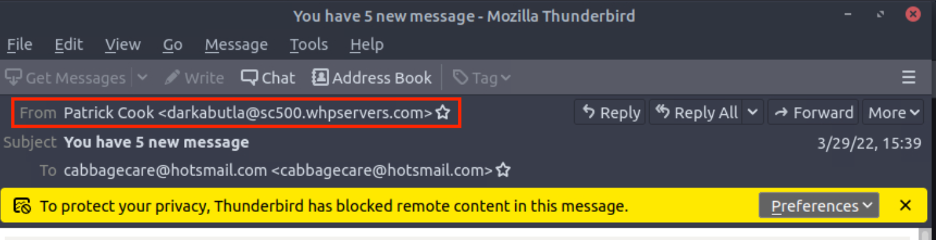
3.2. Finding the sender’s email address
3.3. Finding the recipient’s email address
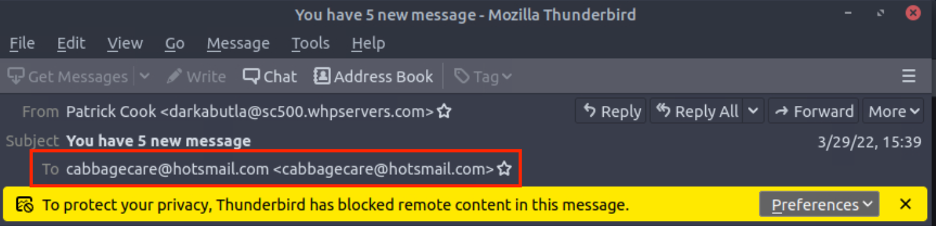
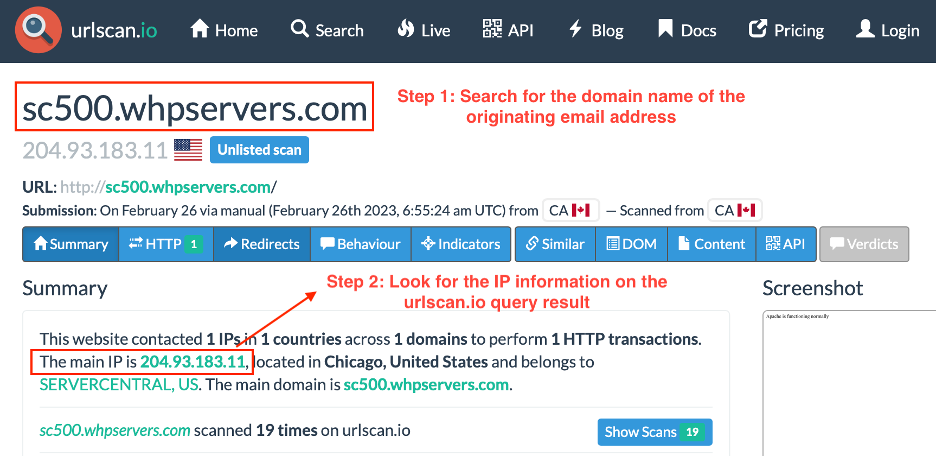
3.4. Finding the originating IP address
On the webpage of urlscan.io, search for the domain name of the sender’s email address. The IP address of the domain name is displayed below.
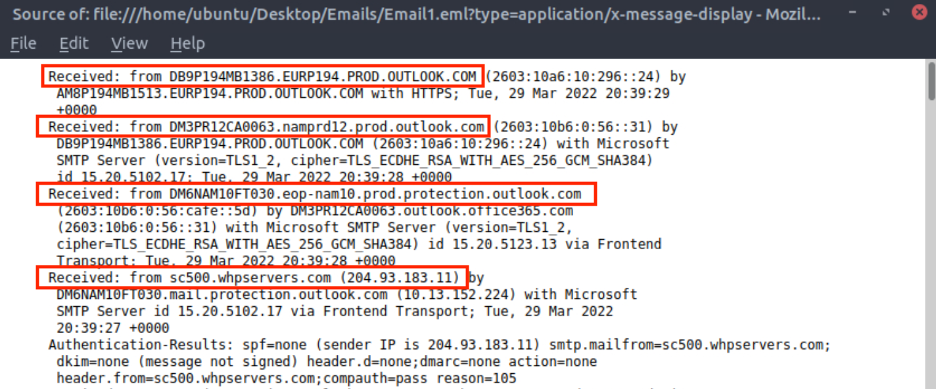
3.5. Finding the number of hops which an email goes through to reach a recipient
4 hops are found within the source file of the email received. The source file can be viewed within Mozilla Thunderbird -> More -> View Source.
4. Cisco Talos Intelligence
4.1. Locate the listed domain of the IP address of the malicious email sender
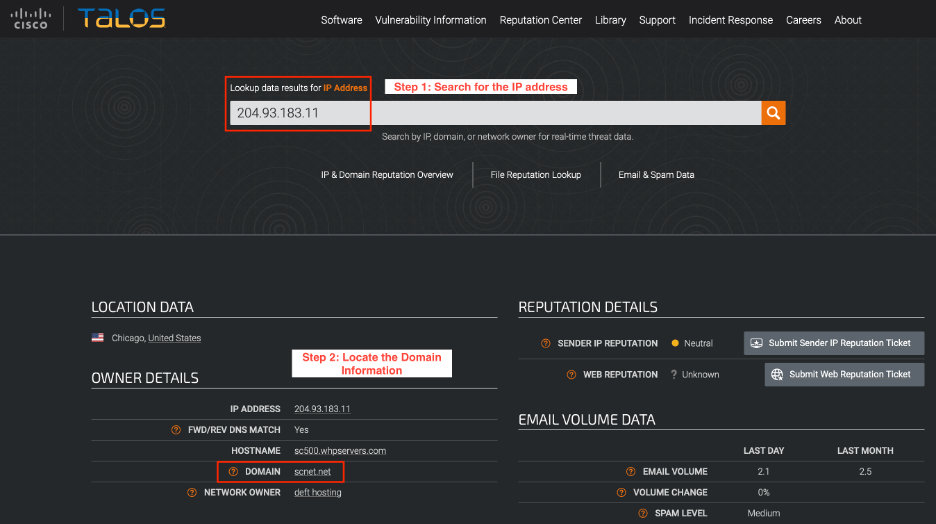
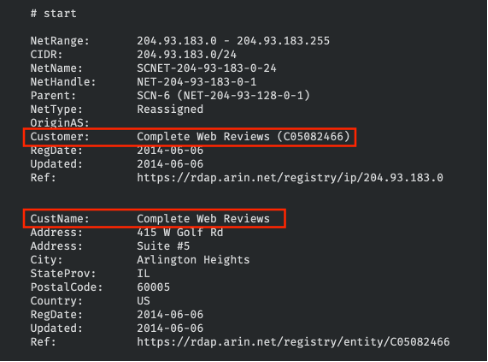
4.2. Locate the customer’s name of the IP address via WHOIS
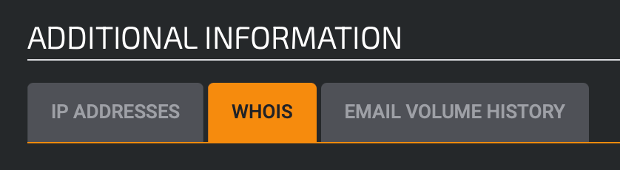
Go to the additional information section and check for the WHOIS information.
5. Scenario 1 (email2.eml)
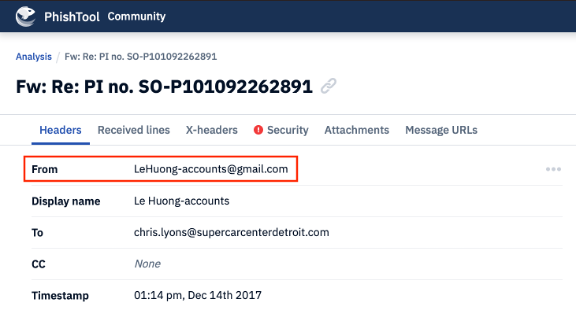
5.1. Finding the recipient’s email address using PhishTool
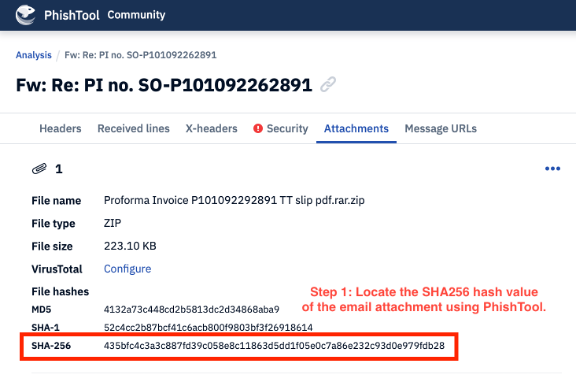
5.2. Finding the alias of a malicious file from its hash value using PhishTool and Cisco Talos Intelligence
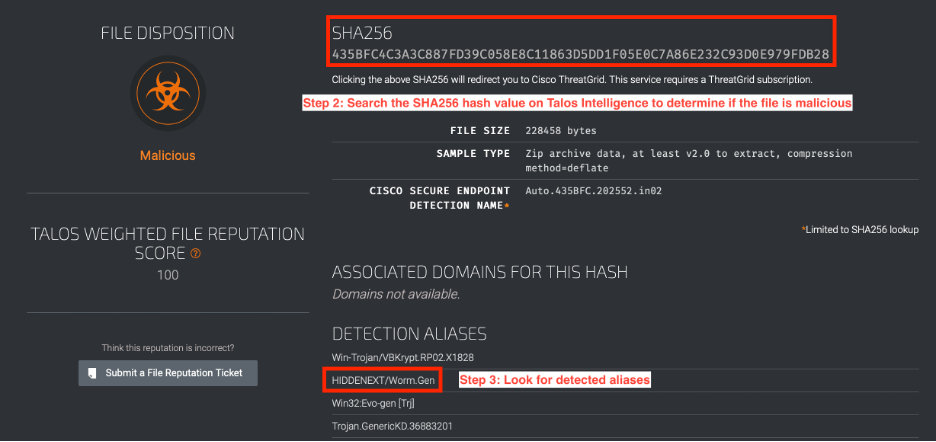
6. Scenario 2 (email3.eml)
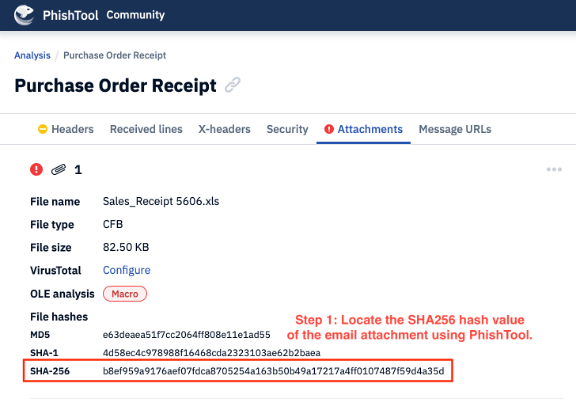
6.1. Finding the name of the Email3.eml attachment using PhishTool
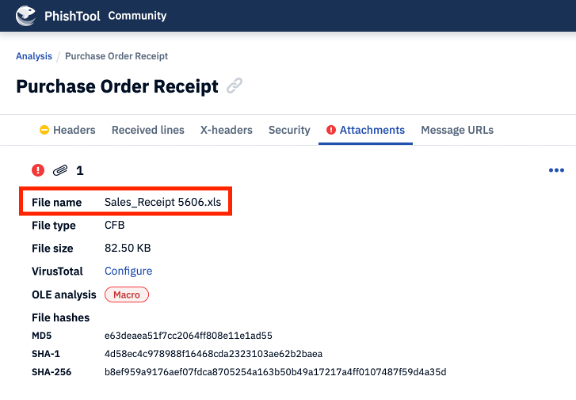
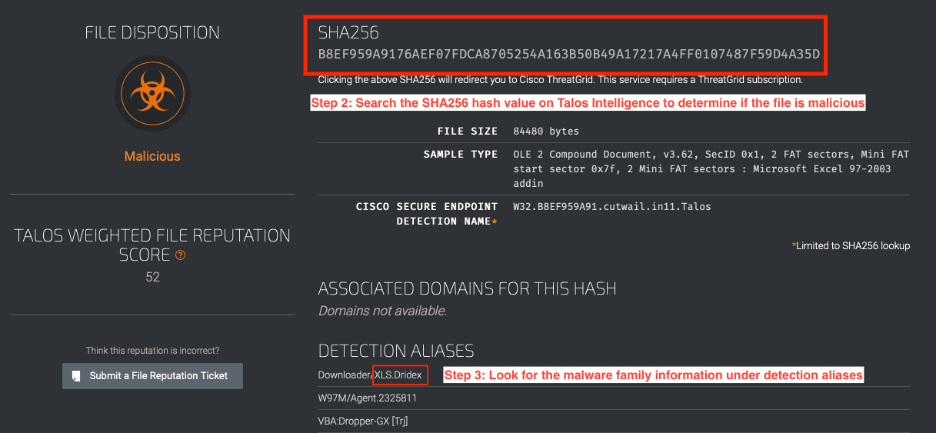
6.2. Finding the malware family associated with the attachment using Cisco Talos Intelligence
About this resource · sources, dates & scope
Attribution: Kelvin Ling. Original publication: .
The original technical writing is preserved. Software-specific procedures can reflect older versions; consult current official documentation before operational use.
Community discussion
Comments
Ask a question or share a practical note. Comments publish immediately after verification and spam checks. Do not post personal or confidential information.
Loading comments…